China’s display industry has become an important source of portable screens for mobile work, travel, and entertainment. A Smartphone Portable Monitor can turn a phone into a larger viewing and productivity setup, but its performance depends on more than screen size. Buyers should examine brightness, resolution, touch response, connection options, power needs, and device compatibility. Small details matter.
Industry demand provides useful context. IDC’s Worldwide Quarterly Mobile Phone Tracker reported that global smartphone shipments reached 1.24 billion units in 2024, a 6.4% increase from 2023. This figure describes the smartphone market, not portable monitor sales. Still, it shows the scale of the connected-device ecosystem that portable displays can serve. For manufacturers, that creates opportunities—and expectations for reliable compatibility.
This guide explores China-based manufacturers and the practical questions buyers should ask before choosing a supplier. It considers product range, customization, quality-control processes, sample evaluation, communication, and after-sales support. Ask for clear specifications and test a sample with the phones and cables you actually use. Check how the screen performs under office lighting, and whether its stand stays steady on a crowded desk. A polished product page is not proof of consistent production. No supplier profile can tell the whole story, and comparisons may miss details that only appear during hands-on testing. Treat this overview as a starting point, then verify each manufacturer against your own requirements.
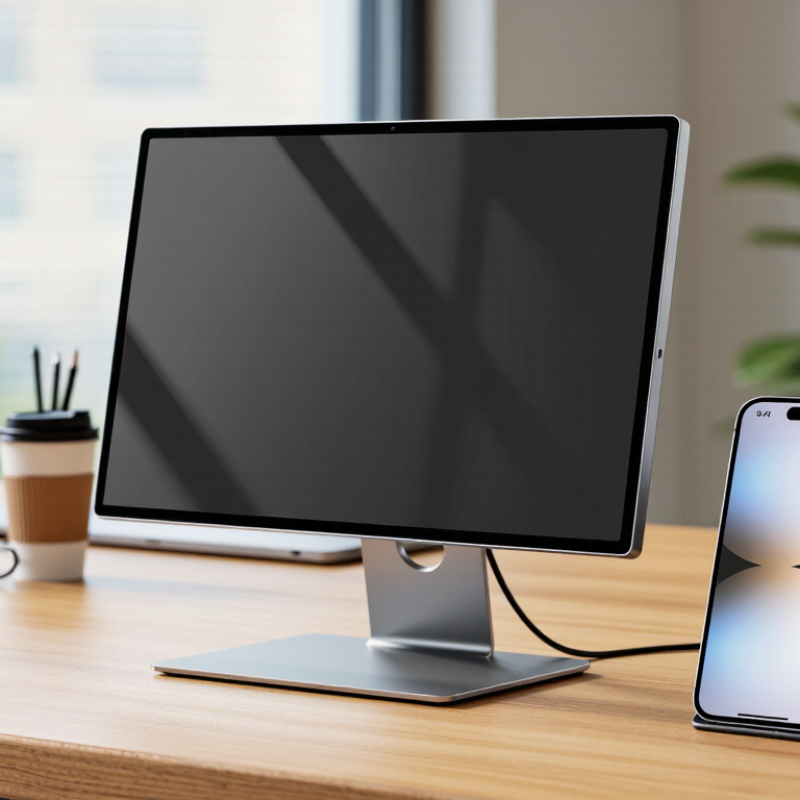
A smartphone portable monitor is a slim external display designed to show a phone’s screen on a larger panel. It may use an LCD or OLED display, with a stand or folding cover for desk or travel use. People use one to view documents, maps, photos, or supported video apps more comfortably. It is not magic. The phone must support a compatible video output or screen-sharing method.
Most models connect through USB-C. When a phone supports DisplayPort Alt Mode, a suitable USB-C cable can carry video and sometimes power. Other phones may need a compatible adapter or wireless casting, which can add delay. Some monitors have touchscreens, but touch control depends on the phone, cable, and operating system. Compatibility can be fussy. Check the display’s input requirements before buying, and remember that brightness, resolution, and power draw affect battery life.
Tips: Test the exact phone and connection type before a trip. Keep a short USB-C cable handy, and bring the monitor’s power supply if your phone cannot provide enough power. A larger screen helps, but it may not improve every app’s layout.
China’s smartphone portable monitor manufacturing landscape is shaped by dense electronics supply chains, especially around Shenzhen and Dongguan. Nearby suppliers can provide display panels, controller boards, USB-C cables, and aluminum housings, helping factories move from prototype to production quickly. That speed is useful, but it can also hide weak testing.
A practical evaluation starts with compatibility. A monitor may connect to one phone through USB-C DisplayPort output but fail with another that lacks video output. Check touch response, power draw, screen brightness, and heat after an hour of use. Small details matter. A loose connector or dim corner can become obvious outdoors.
Manufacturers commonly handle panel bonding, circuit-board assembly, housing, and final inspection, while some components come from outside suppliers. Ask how they track panel revisions and test a production batch, not just a sample. Request measurements for color consistency and brightness, plus a simple connection test across several phone models.
Packaging deserves attention too; a thin screen can crack when corners are poorly protected. A polished sample is not proof of stable production. That distinction is easy to overlook, and even careful buyers sometimes rely too heavily on appearance.
A portable monitor is only useful when its connection works without guesswork. Manufacturers should verify USB-C DisplayPort Alt Mode, because a USB-C socket alone does not guarantee video output. A second USB-C port can supply power, while a mini-HDMI input offers another connection option. Clear labeling matters. A phone may need a separate power source when driving a bright, high-resolution screen.
Useful features go beyond resolution. A 15.6-inch panel with a matte surface can reduce reflections under office lighting, while adjustable brightness helps in darker rooms. Touch models also need a USB data connection; video alone will not carry touch input. Power delivery, refresh rate, and color accuracy should be tested together, not only listed on a specification sheet. Small compatibility gaps are easy to miss.
Compatibility depends on the phone’s operating system and video-output support. Testing should cover common USB-C phones, tablets, and laptops, plus HDMI devices using suitable adapters. Check sleep and wake behavior, portrait rotation, and whether the display drains the phone quickly. These details can vary between devices. A compatibility chart is helpful, but real-device testing is better. Even careful testing has limits; new phone models may expose an overlooked issue.
A useful evaluation starts with the product, not the sales pitch. Ask for a detailed specification sheet covering screen size, resolution, brightness, refresh rate, weight, and supported connections. Check whether the monitor works with your target phones through the stated USB-C or other inputs. A connector that fits does not always guarantee compatibility. Request a sample and test it with several devices.
Look closely at practical details. Measure brightness in a normally lit room, then check text clarity, color consistency, and viewing angles. Try the touchscreen, if included, and inspect the stand or cover on a desk. Leave the screen running to observe heat and stability. Small flaws matter. A loose hinge can become a daily irritation. One sample is not enough; ask how production units are checked and whether inspection records can be shared.
Assess the manufacturer’s communication and quality controls, too. Ask who supplies key components, how changes are documented, and how defects are handled. Clear answers are more useful than broad promises. Compare sample performance with written specifications and confirm packaging protects the screen during shipping. No checklist catches everything. Early testing can still miss production variation, so consider reviewing units from a pilot run before placing a larger order. A supplier may be capable, yet weak documentation can make follow-up difficult.
Choosing a China-based smartphone portable monitor manufacturer requires more than comparing unit prices. Confirm the factory’s experience with USB-C video input, power delivery, touch functions, and phone compatibility. Request a sample and test it with several phone models, cables, and cases. Small details matter. Check whether the display stays stable during charging and whether the stand holds its angle on a desk.
Manufacturing quality shows up in repeatable processes. Ask how incoming panels are checked for dead pixels, brightness variation, and color consistency. Review the inspection plan for connector fit, button response, heat, and screen durability. A clear defect limit is more useful than a vague promise of “high quality.” Ask for recent, redacted inspection records and confirm who handles rework. One sample can look perfect; batch consistency is the harder part.
For global sourcing, clarify minimum order quantities, lead times, packaging, warranty handling, and shipping responsibilities before placing an order. Check that product specifications, labels, and test documents match the destination market’s requirements. Keep approved samples and written specifications as references for production. Factory visits can help, but a polished tour is not proof of consistent output. I would still verify the first production batch independently; it adds time, and sometimes suppliers resist, but that hesitation is worth discussing.
Supplier evaluation guide for portable monitors used with smartphones. Specifications and test limits vary by model; confirm them in the approved product specification and purchase agreement.
| Evaluation Area | Manufacturing or Technical Consideration | Quality-Control Check | Global Sourcing Consideration |
|---|---|---|---|
| Smartphone connectivity | USB-C video output generally requires the phone to support DisplayPort Alt Mode or another compatible video-output method. A USB-C connector alone does not guarantee video output. | Test the agreed phone models and operating systems for image output, audio, touch input if applicable, and reconnection after sleep or unplugging. | Request a compatibility list and clearly identify whether the monitor needs a separate power source or a specific cable or adapter. |
| Display panel | Portable monitors commonly use LCD panels, including IPS-type panels. Resolution, brightness, viewing angle, refresh rate, and color coverage are model-specific. | Approve a reference sample and define measurable acceptance limits for brightness, uniformity, color, and pixel defects before mass production. | Compare specifications using the same measurement method and test conditions; marketing descriptions alone are not an acceptance standard. |
| Assembly and integration | Production may involve panel and backlight integration, control-board assembly, enclosure fitting, cable installation, and firmware configuration. | Review assembly work instructions, in-process inspection records, traceability, and controls for product revisions and component substitutions. | Confirm which processes are performed in-house and which are subcontracted, especially for panel sourcing, PCB assembly, and final packaging. |
| Power and thermal performance | Power requirements depend on screen size, brightness, electronics, and connected-device capability. Some phone-and-monitor combinations require external power. | Check startup, operation at agreed brightness settings, charging or pass-through functions where offered, and temperature during a defined operating test. | Document power input ratings, supported charging behavior, supplied accessories, and any regional plug requirements for the intended market. |
| Ports, cables, and accessories | Common interfaces include USB-C and HDMI; supported functions depend on the monitor design. HDMI-connected phones may require a compatible adapter. | Verify port fit, cable continuity, connector retention, signal stability, and correct accessory inclusion against the approved bill of materials. | Specify cable type, length, quantity, labeling, and packaging contents in the contract to reduce substitutions and shipment discrepancies. |
| Functional inspection | A final inspection can check image, controls, ports, speakers if fitted, touch functions if fitted, and basic startup behavior. | Use a documented test plan with serial or lot traceability. Agree sampling rules and defect classifications before production begins. | Request inspection records for each lot and define whether inspection occurs at the factory, by a third party, or at destination. |
| Reliability and handling | Portable displays are exposed to repeated setup, cable insertion, transport, and handling. Test methods and pass limits should match intended use. | Agree any required connector-cycle, operating-duration, vibration, or drop tests in advance; specify the method and sample size rather than relying on unspecified claims. | Assess protective packaging and transit risks for the chosen shipping route, including handling, moisture, and temperature exposure where relevant. |
| Electrical and market compliance | Applicable requirements depend on product design, included power adapters, destination market, and product classification. | Check that test reports and declarations match the exact model, hardware revision, adapter, and destination-market requirements. | Identify the importer’s compliance responsibilities and confirm document availability before placing a production order. |
| Packaging and labeling | Packaging should protect the screen and accessories while presenting accurate model, rating, and handling information. | Compare production packaging with the approved artwork and packing specification; inspect quantity, cushioning, labels, and carton condition. | Confirm language, barcode, shipping marks, carton dimensions, and any destination-specific labeling requirements before print approval. |
| Commercial and production controls | Lead time, minimum order quantity, capacity, and customization options vary by supplier, season, and product configuration. | Approve a pre-production sample and retain a signed specification covering components, appearance, performance, packaging, and permitted tolerances. | Clarify payment terms, production milestones, change-control approval, warranty process, spare-parts availability, and remedies for nonconforming goods. |