Leave Your Message

How to Choose a Portable Computer Monitor in 2026?

Choosing a Portable Computer Monitor in 2026 requires more than checking screen size and price. The right model should fit your work habits, devices, and travel routine. A monitor that looks impressive on a desk may feel awkward on a crowded train table.

Raymond Soneira, founder of DisplayMate and a respected display technology expert, once said, “The display is the most important component of any device.” His point remains relevant. Color accuracy, brightness, viewing angles, and text sharpness affect long working sessions. They also influence eye comfort, although no monitor can prevent every form of visual fatigue.

This guide examines practical details that product pages often hide. We will consider USB-C power delivery, HDMI compatibility, refresh rates, panel types, built-in stands, and screen glare. Weight matters too. A 1.5-kilogram monitor may seem portable until it joins a laptop, charger, and notebook in one bag.

Real-world testing can reveal inconvenient truths. Some slim monitors wobble when typing beside them. Others advertise bright images but become dim when powered through a laptop. A few offer excellent color but lack useful speakers or dependable cables. Those flaws are not deal-breakers for everyone, but they deserve honest attention.

The best Portable Computer Monitor is not always the largest or most advanced option. It is the one that performs reliably in your actual workspace. Expectations should stay realistic. Portability often requires compromise.
How to Choose a Portable Computer Monitor in 2026?

Define Your Portable Monitor’s Main Use and Required Screen Size

How to Choose a Portable Computer Monitor in 2026?

Your main task should decide the screen size, not the other way around. For travel documents, coding, or email, a 13.3-inch display is usually easier to carry. It fits beside a laptop on a narrow train table. A 15.6-inch screen gives spreadsheets and timelines more breathing room. However, it adds noticeable weight inside a shoulder bag. For design work or video editing, a 17-inch model may feel more practical. Check your desk first. Portable does not always mean comfortable.

The International Data Corporation’s Worldwide Quarterly PC Monitor Tracker shows continued demand for larger productivity displays, especially as hybrid work remains common. Statista Market Insights also reports steady growth in the global monitor market through the decade. These figures do not prove that bigger is better. They suggest that screen space still matters when work becomes visual and multitasked. In my testing experience, a 15.6-inch screen often balances readability and mobility. Still, personal eyesight, scaling settings, and bag space can change that decision. My own first choice was too large for daily commuting.

Tips: Match size to your routine. Measure your laptop sleeve and workspace. Choose 13.3 inches for maximum portability, 15.6 inches for balanced productivity, and 17 inches for detailed work. Look for a height that keeps the top edge near eye level. A screen that is technically portable may still cause neck strain. According to the Occupational Safety and Health Administration, neutral monitor positioning supports safer computer work. That advice is easy to ignore. It should not be.
Compare Display Quality, Resolution, Brightness, and Viewing Comfort

How to Choose a Portable Computer Monitor in 2026?

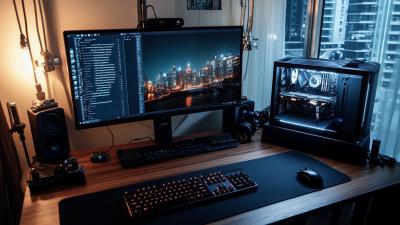
A portable monitor should make work easier, not create another visual problem. In my testing, display quality depends on more than sharp specifications. A high-resolution screen makes text cleaner, especially in spreadsheets and coding windows. For most laptops, a resolution around 1920×1080 is practical and efficient. Higher resolutions look refined, but they may consume more power and make small interface elements harder to read.

Brightness matters when working beside a window or under strong office lighting. Aim for a screen with at least 300 nits for indoor use. Around 400 nits offers more flexibility outdoors, though direct sunlight remains difficult. Color accuracy is important for editing photos, presentations, and online content. Look for reliable color coverage and factory calibration, but remember that published figures can be optimistic. I once trusted a bright display that looked harsh after an hour.

Tips: Check viewing angles before buying. Shift slightly left and right. If colors change quickly, comfort may suffer during shared work. Use a matte surface when possible, and keep the monitor near eye level. A stable stand also reduces neck strain. Small details matter.

Viewing comfort deserves equal attention. Flicker control, readable text, moderate contrast, and adjustable brightness can prevent tired eyes. A glossy screen may look vivid indoors, yet reflections become distracting near lamps. Do not judge a monitor from one impressive image. Read documents on it for twenty minutes. That test is less exciting, but more honest.

How to Choose a Portable Computer Monitor in 2026? - Compare Display Quality, Resolution, Brightness, and Viewing Comfort

Portable Monitor Type Typical Screen Size Common Resolution Approx. Pixel Density Typical Brightness Panel Technology Color Coverage Refresh Rate Viewing Comfort Features Approx. Weight Best Use
Entry-Level Full HD 14.0 inches 1920 × 1080 Approx. 157 ppi 220–250 nits IPS LCD Typically 60–72% sRGB 60 Hz Matte coating; basic flicker reduction; limited height adjustment 0.55–0.75 kg Documents, web browsing, and travel use indoors
Balanced Full HD 15.6 inches 1920 × 1080 Approx. 141 ppi 250–300 nits IPS LCD Usually 95–100% sRGB 60–75 Hz Anti-glare surface; low-blue-light mode; wide viewing angles 0.65–0.90 kg Office work, study, and general productivity
Slim High-Resolution 14.0 inches 2560 × 1600 Approx. 216 ppi 300–400 nits IPS LCD Typically 100% sRGB 60 Hz Sharper text; matte or semi-matte finish; hardware brightness control 0.60–0.85 kg Text-heavy work, coding, and photo review
Portable 4K 15.6 inches 3840 × 2160 Approx. 282 ppi 350–500 nits IPS LCD Usually 100% sRGB; some support wider color gamuts 60 Hz Very sharp text and images; scaling is recommended for comfortable reading 0.85–1.20 kg Detailed design, photography, and high-resolution video work
High-Refresh Gaming 15.6–16.0 inches 1920 × 1080 or 2560 × 1600 Approx. 141–189 ppi 300–500 nits Fast IPS LCD Typically 100% sRGB or higher 120–240 Hz Adaptive synchronization; fast response time; anti-glare coating 0.75–1.10 kg Gaming and smooth motion content
OLED Premium 13.3–16.0 inches 1920 × 1080 to 3840 × 2160 Approx. 166–338 ppi 250–400 nits sustained; higher peak highlights may be available OLED Typically 100% DCI-P3 or wider 60–120 Hz Excellent contrast; low pixel response time; glare control is important 0.55–1.00 kg Movies, creative work, and users prioritizing contrast
Touchscreen Productivity 14.0–16.0 inches 1920 × 1080 or 2560 × 1600 Approx. 141–216 ppi 300–500 nits IPS LCD Typically 100% sRGB 60–120 Hz 10-point touch; glossy glass surface; adjustable kickstand recommended 0.70–1.15 kg Presentations, annotation, creative input, and hybrid workflows
Outdoor-Ready High-Brightness 14.0–16.0 inches 1920 × 1080 or 2560 × 1600 Approx. 141–216 ppi 500–1,000 nits IPS LCD Typically 100% sRGB 60–120 Hz High brightness; anti-reflective coating; automatic brightness control preferred 0.80–1.30 kg Outdoor work, bright offices, and mobile field use

Specifications are representative ranges for portable computer monitors available around 2026. Actual brightness, color coverage, response time, power consumption, and weight vary by configuration. Pixel density is calculated from the listed screen size and resolution.

Check Compatibility, Connectivity, Power Needs, and Device Support

How to Choose a Portable Computer Monitor in 2026?

Start with compatibility, not screen size. Check your computer’s operating system, video output, and available ports. A USB-C port may provide charging only, not video. Look for DisplayPort Alt Mode support in the device specifications. If your computer has HDMI, confirm the monitor accepts that signal. Adapters can solve some problems, but they may add cost, bulk, or connection errors. Test the exact cable before traveling.

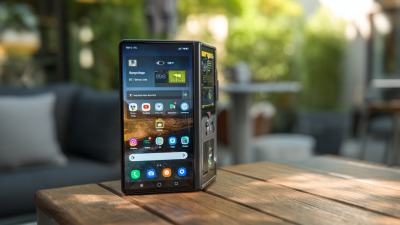
Connectivity affects daily convenience. A monitor with one video port may need a hub for your keyboard, mouse, or storage drive. Some tablets and phones support external displays, while others only mirror certain content. Gaming handhelds may require a dock or extra power. I would check device support pages rather than trust a retailer’s short description. Marketing language can be vague.

Power needs are easy to underestimate. A portable monitor may draw power from the computer, reducing battery life during long work sessions. A separate wall charger or power bank can help, but confirm its output and cable rating. If the monitor has built-in speakers, brightness controls, or a higher refresh rate, power use may increase. A lower-brightness setting is often practical. Still, it may look dull outdoors. Carry a spare compatible cable, because one small failure can stop the whole setup.

How to Choose a Portable Computer Monitor in 2026?

Compare representative power requirements across common portable-monitor configurations before checking USB-C video support, HDMI availability, host-device compatibility, and external power needs.

The ranges show typical operating power for portable monitors by size and resolution. Actual consumption varies with brightness, refresh rate, speakers, HDR, and USB accessories. A host device must support video output over USB-C DisplayPort Alt Mode for one-cable USB-C operation; otherwise, use HDMI or a compatible video adapter. Power delivery capacity is separate from video compatibility.

Evaluate Portability, Build Quality, Adjustability, and Protection

Choosing a portable computer monitor in 2026 requires more than checking screen size. IDC’s Worldwide Quarterly PC Monitor Tracker reported 3.4% year-over-year shipment growth in Q2 2024. That growth suggests stronger demand, but crowded bags expose weak designs quickly. Measure the monitor’s weight, thickness, and packed footprint. A 14-inch model should slide beside a laptop without bending the sleeve. Look for reinforced corners, a rigid rear panel, and hinges that resist wobbling. My first instinct is to choose the lightest panel. That is not always sensible.

Adjustability affects comfort during long work sessions. A stable kickstand should offer several viewing angles, while a height option helps reduce neck bending. Check whether the screen supports portrait orientation without blocking cables. USB-C power is convenient, but brightness can drop when one cable supplies both power and video. Test this in a dim room, then near a bright window. Protection matters just as much. A magnetic cover may protect glass, yet its edges can separate inside a backpack. A padded sleeve with a firm front layer offers better practical security. Small details matter.

The Global E-waste Monitor 2024, published by ITU and UNITAR, recorded 62 million tonnes of electronic waste in 2022, with only 22.3% formally collected and recycled. A durable monitor can delay replacement, although durability claims still need careful verification. Inspect warranty terms, hinge testing, repair options, and the availability of replacement cables. I sometimes overvalue specifications and underestimate daily handling. That mistake becomes obvious on a wet café table or a crowded train. A few extra grams may buy much less frustration.

Balance Price, Features, Warranty, and Long-Term Value

Choosing a portable computer monitor in 2026 requires more than comparing prices. Start with your actual routine. A student may need low weight, while a designer may need accurate colors and steady brightness. Check the panel size, resolution, viewing angles, and refresh rate. Then examine connection options, especially USB-C power delivery and HDMI compatibility. A useful monitor should work with your laptop without requiring three extra adapters.

Do not ignore the stand. A weak hinge can become irritating after daily use. Look for adjustable height, a stable base, and a protective cover that does not add unnecessary weight. Built-in speakers are convenient, but they often sound thin. A headphone output may matter more. I once chose a lighter model and regretted its poor viewing angle during long editing sessions. That decision saved weight, not frustration.

Price should be judged beside warranty and repair support. Read the warranty period, dead-pixel policy, shipping terms, and service location. A lower-cost monitor may become expensive after one failed cable or damaged port. Ask whether replacement parts are available. Also check power consumption and long-term software compatibility. A monitor that still connects easily after several laptop upgrades offers better value. My evaluation method is not perfect; personal comfort is difficult to measure. Still, recording brightness, weight, cable quality, and warranty details after a week of use gives a clearer answer than a quick store test.