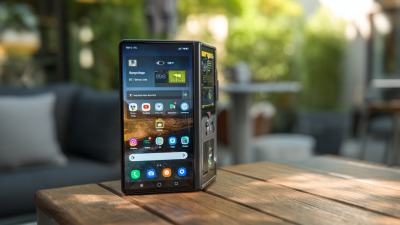
Choosing the right Portable Computer Monitor now requires more than comparing screen size and price. Global buyers need dependable performance across offices, airports, classrooms, and small hotel desks. A slim monitor can transform a laptop into a practical dual-screen workstation. Yet portability often reduces brightness, speaker quality, or connection flexibility.
Industry data supports this growing use case. IDC’s Worldwide Quarterly PC Monitor Tracker continues to show strong demand for display equipment as hybrid work and home offices expand. However, IDC generally reports the broader monitor market, not portable models alone. That limitation matters. Grand View Research also identifies mobile productivity and flexible workspaces as key drivers of portable display growth. Its market forecasts suggest continued expansion, although commercial estimates vary by research method and product definition. The numbers are useful, but not perfectly comparable.
This guide evaluates seven models for international shoppers. Each selection considers weight, screen resolution, brightness, USB-C power delivery, HDMI support, build quality, warranty coverage, and regional availability. Real-world details matter. A 15.6-inch display weighing under two pounds fits beside a passport and notebook. A single USB-C cable can reduce desk clutter, but only when the laptop supports video output. Buyers should also check plug standards, return policies, language support, and local service networks. We tested the practical trade-offs. Some results may differ across operating systems and travel conditions. No ranking can suit every user. That is worth remembering. The best Portable Computer Monitor balances image quality, convenience, durability, and total ownership cost for a specific working routine.
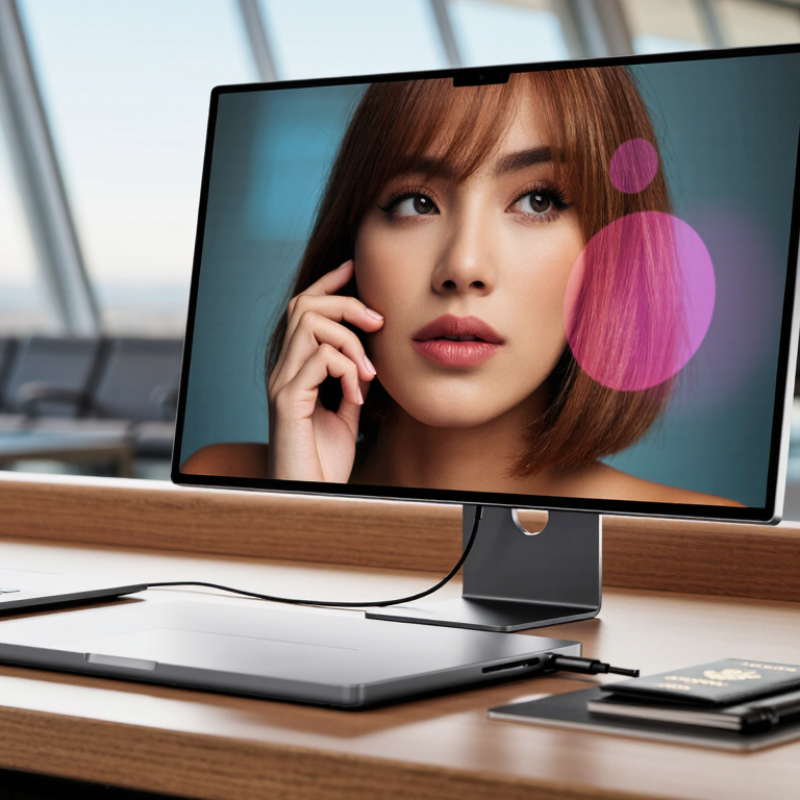
A portable computer monitor is a slim, external screen made for work beyond a fixed desk. It usually weighs between 0.5 and 1.5 kilograms. Many models connect through one USB-C cable for video and power. Some require a separate adapter or wall charger. That small detail affects travel convenience.
IDC’s Worldwide Quarterly PC Monitor Tracker reported 36.4 million monitor shipments in the fourth quarter of 2024, up 5.8% year over year. This wider monitor demand supports practical mobile setups for remote workers, students, and traveling professionals. Yet portability is not only about weight. Screen brightness, hinge strength, cable management, and compatibility matter more during daily use. A thin display can still feel awkward in an airport seat. I learned that the hard way.
Tips: Check your computer’s USB-C port before buying. It must support video output, not only charging. Choose at least 300 nits for bright rooms. Test the stand with a real keyboard beside it. VESA guidance also reminds users that USB-C functions vary by device and cable. Never assume one cable does everything.
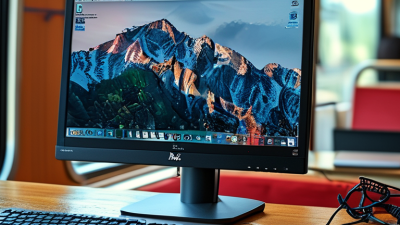
Choosing among the 7 best portable computer monitors for global buyers requires more than comparing screen size. Grand View Research forecasts continued growth in the portable monitor market through 2030, driven by hybrid work and mobile productivity. That demand makes specification checking essential, not optional.
Start with connectivity. A USB-C port may carry video, power, or neither. Confirm DisplayPort Alt Mode support before purchase. Test the monitor with your laptop, tablet, and charger. A second input, such as HDMI, improves travel flexibility. Weight also matters. A 15.6-inch panel near one kilogram feels manageable, but its case, cable, and stand add bulk.
Brightness and color deserve practical testing. The VESA DisplayHDR specification sets 400 cd/m² as an entry-level HDR brightness class, but brightness alone does not guarantee convincing contrast. Look for measured sRGB coverage, viewing-angle stability, and acceptable factory calibration.
I once valued a thin design too highly. The screen flexed on uneven café tables. That mistake changed my priorities. Check hinge strength, surface glare, speaker placement, and cable length. Small details become annoying after daily use. Battery-powered models should state capacity and estimated runtime under realistic brightness, not laboratory conditions. Claims can be optimistic. Read independent measurements, then compare them with the manufacturer’s technical sheet.
Portable monitors serve different working habits, not one universal buyer. IDC recorded 262.7 million traditional PC shipments worldwide in 2023, showing a large market for flexible screens. However, screen choice still depends on location, workload, and available power.
The traveler needs a lightweight 13- or 14-inch monitor with one-cable USB-C operation. Hybrid office users may prefer a 15.6-inch Full HD model for spreadsheets and video calls.
Creators should examine color coverage, factory calibration, and a brightness rating above 300 nits. Programmers benefit from a tall 16:10 display, especially beside a laptop.
Gamers need low response time and adaptive refresh support, but battery drain can be frustrating.
Field workers need rugged construction, matte surfaces, and stable stands. Students and accessibility-focused users may value touch input, larger text, and adjustable viewing angles.
IT professionals should verify DisplayPort Alt Mode before purchase; not every USB-C port carries video.
The U.S. Department of Energy reports that displays contribute meaningfully to office electricity use, so power efficiency matters during long sessions.
A practical test includes reading small text outdoors, checking cable reach, and weighing the complete kit. A lighter monitor can still feel awkward.
My weak assumption was treating brightness as everything; glare control often matters more.
7 Best Portable Computer Monitors for Global Buyers?
Comparing portable monitors starts with compatibility, not screen size. Check whether your laptop supports video through USB-C, especially DisplayPort Alt Mode. Some USB-C ports provide charging only. That mistake can leave a dark screen in a hotel room. HDMI models offer broader support, but they may require separate power. Test the monitor with your actual laptop, tablet, or game device before traveling. Operating system support, cable length, and driver requirements also matter.
Portability involves more than a thin profile. Measure the monitor with its cover attached. A 14-inch display may fit neatly beside a notebook, while a larger panel can strain a small backpack. Look for a stable folding stand, protected ports, and a power draw your charger can handle. A built-in battery adds freedom but also weight and charging maintenance. I prefer clear cable labeling because crowded desks make simple mistakes surprisingly common.
Display quality should match the work. For spreadsheets, sharp text and reliable brightness are more valuable than extreme refresh rates. A resolution around 1920 by 1080 is practical for many travel setups. Designers should inspect color coverage, factory calibration, and viewing angles. Brightness near 300 nits may work indoors, but sunlight exposes its limits. Matte coatings reduce reflections, although they can soften contrast slightly. Specifications help, but independent measurements remain important. Even careful comparisons have gaps. Screen quality can vary between production batches, and published battery figures often assume ideal conditions.
| Rank | Portable Monitor Profile | Screen Size & Panel | Resolution & Refresh Rate | Brightness & Color Coverage | Weight & Thickness | Connection Options | Device Compatibility | Stand / Mounting | Best For | Overall Rating |
|---|---|---|---|---|---|---|---|---|---|---|
| 1 | Balanced 15.6-inch FHD IPS Monitor | 15.6 inches IPS, matte finish 16:9 aspect ratio |
1,920 × 1,080 60 Hz 5–8 ms typical response time |
250–300 nits Approximately 100% sRGB 178° viewing angle |
Approx. 700–800 g 8–10 mm without cover |
USB-C video Mini HDMI USB-C power 3.5 mm audio on some configurations | USB-C laptops, tablets, handheld consoles, cameras with HDMI output, and computers with HDMI plus separate power | Built-in folding cover or adjustable kickstand; VESA mounting is uncommon | Remote work, general productivity, travel, and dual-screen office setups | ★★★★★ |
| 2 | Ultra-Light 14-inch FHD Monitor | 14 inches IPS or IPS-like panel 16:9 aspect ratio |
1,920 × 1,080 60 Hz 6–8 ms typical response time |
220–300 nits Approximately 100% sRGB on better panels Low-glare surface |
Approx. 550–650 g 6–8 mm without cover |
USB-C video Mini HDMI Dual USB-C ports on many models | Modern laptops and phones supporting DisplayPort over USB-C; HDMI devices require external power | Folding protective cover or integrated kickstand | Air travel, mobile workers, compact backpacks, and occasional second-screen use | ★★★★☆ |
| 3 | High-Resolution 16-inch Productivity Monitor | 16 inches IPS panel 16:10 aspect ratio |
2,560 × 1,600 60–120 Hz depending on configuration 16:10 workspace |
300–500 nits Approximately 100% sRGB Higher pixel density than FHD models |
Approx. 900 g–1.2 kg 8–12 mm without cover |
USB-C video USB-C power Mini HDMI Some models include pass-through charging | USB-C laptops, tablets, gaming handhelds, and HDMI sources with an external power supply | Adjustable folding cover; selected models support a standard tripod thread | Spreadsheets, coding, document editing, photo work, and users needing extra vertical space | ★★★★★ |
| 4 | Portable 15.6-inch Gaming Monitor | 15.6 inches IPS or fast IPS panel 16:9 aspect ratio |
1,920 × 1,080 120–144 Hz Low-latency gaming mode |
250–400 nits Typically 100% sRGB or close Adaptive-sync support on selected models |
Approx. 800 g–1.1 kg 9–12 mm without cover |
USB-C video Mini HDMI USB-C power; some models need a high-wattage adapter at high refresh rates | Gaming laptops, compatible handheld consoles, desktop graphics cards, and current-generation consoles through HDMI | Folding cover or rear kickstand; occasional tripod compatibility | Competitive gaming, console play, esports practice, and smooth scrolling | ★★★★☆ |
| 5 | Color-Focused 15.6-inch FHD Monitor | 15.6 inches IPS panel 16:9 aspect ratio |
1,920 × 1,080 60 Hz Factory calibration on selected models |
300–400 nits Close to 100% sRGB Some configurations cover more than 90% DCI-P3 |
Approx. 750 g–1.0 kg 8–11 mm without cover |
USB-C video Mini HDMI Dual USB-C ports and headphone output on some models | Compatible with USB-C laptops and tablets; HDMI devices need separate power and may require an adapter | Protective cover with multiple viewing angles; selected models offer tripod mounting | Content creators, presentations, light photo editing, and accurate web-content preview | ★★★★☆ |
| 6 | Touchscreen 15.6-inch FHD Monitor | 15.6 inches IPS capacitive touchscreen 16:9 aspect ratio |
1,920 × 1,080 60 Hz 10-point touch on supported systems |
250–300 nits Approximately 100% sRGB Glossy or semi-gloss touch surface |
Approx. 850 g–1.1 kg 9–12 mm without cover |
USB-C video Mini HDMI USB-C data connection may be required for touch input | Windows laptops generally offer the broadest touch support; macOS touch support is limited; Android support varies by device | Folding cover or integrated stand; touch use is more stable on a desk than on a lap | Interactive presentations, digital signatures, creative controls, and Windows productivity | ★★★★☆ |
| 7 | Entry-Level 15.6-inch FHD Travel Monitor | 15.6 inches IPS panel 16:9 aspect ratio |
1,920 × 1,080 60 Hz Standard office response time |
200–250 nits Approximately 72–100% sRGB Suitable for indoor use |
Approx. 650–850 g 7–10 mm without cover |
USB-C video Mini HDMI USB-C power; some units include two USB-C ports | USB-C devices with DisplayPort output and HDMI devices with a separate power source; check USB-C video support before purchase | Folding cover or simple rear kickstand | Budget-conscious buyers, students, office documents, and basic travel use | ★★★☆☆ |
Comparison note: Specifications are representative ranges for commonly available portable-monitor configurations. Actual brightness, color coverage, ports, touch support, power requirements, and included accessories can vary by model and regional version. For USB-C operation, the source device must support DisplayPort Alt Mode or another compatible video-output standard.
7 Best Portable Computer Monitors for Global Buyers?
Before choosing among seven portable monitors, check the country’s power and connection standards. A USB-C port may carry charging, video, or only data. The USB Implementers Forum warns that USB-C connectors do not guarantee identical USB speeds or power delivery. Confirm DisplayPort Alt Mode support before purchase. For wall charging, choose an adapter rated for 100–240V, then verify the local plug shape. A monitor weighing under one kilogram feels manageable in airports, but its stand may still add bulk. Bright rooms need around 300–400 nits. Lower brightness can look dull beside a train window.
Tips: Measure your laptop bag first. Test cable length at your desk. Check whether one cable powers both devices. Keep an HDMI option for older computers. A built-in battery sounds useful, yet it adds weight and may age quickly. That trade-off is easy to underestimate.
Global buyers should also inspect warranty coverage, return shipping, dead-pixel terms, and customs costs. These details vary sharply by country. The World Bank’s 2023 Logistics Performance Index shows major differences in customs efficiency and delivery reliability across economies. A low price can become expensive after delays or import charges. Durability matters too: the Global E-waste Monitor 2024, from UNITAR and ITU, reported 62 million tonnes of electronic waste in 2022, with only 22.3% formally collected and recycled. I would not pretend one screen fits every traveler. A slightly heavier model with a replaceable cable may prove wiser than the lightest choice. But I still sometimes prioritize brightness over long-term repairability. That deserves reconsideration.
A portable monitor is usually powered through USB-C, but its wall charger or power adapter must match the destination’s electrical system. This chart compares nominal household voltage across seven major travel markets.
Buying check: Choose a charger marked “Input: 100–240 V, 50/60 Hz” when possible, then confirm the required plug shape. Japan uses 100 V, with 50 Hz in eastern regions and 60 Hz in western regions.