Leave Your Message

What Are the Top Types of Portable Energy Monitors?

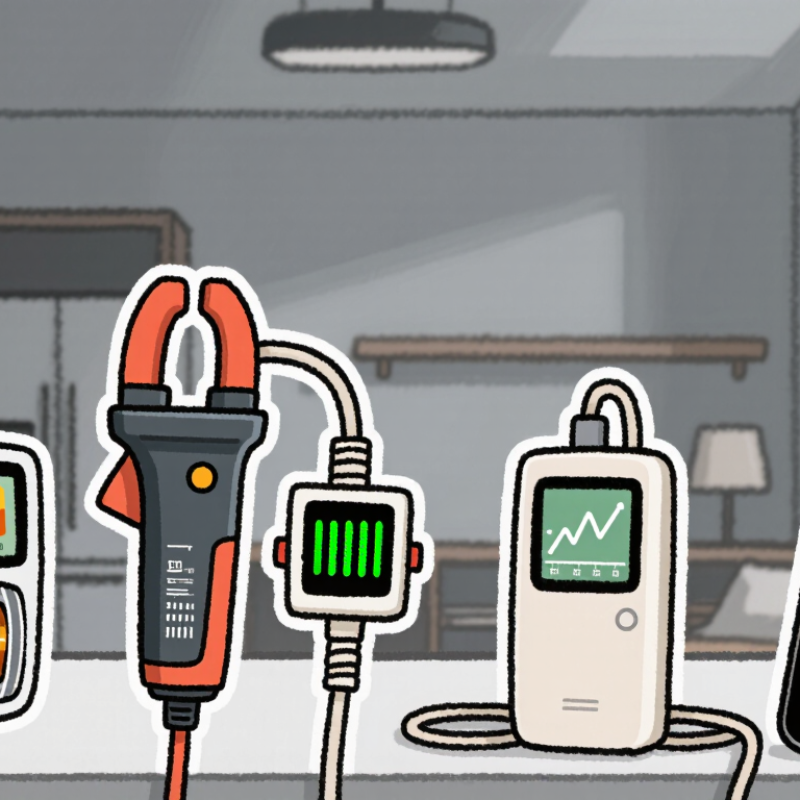
A Portable Energy Monitor can reveal what a monthly bill cannot: which appliances draw power, when usage rises, and how much energy standby devices consume. The main types include plug-in meters for individual appliances, clamp-based monitors for circuit panels, portable data loggers, and smart-meter displays. Each answers a different question. A plug-in model can show the wattage of a desk heater or refrigerator. A clamp monitor can track broader household demand, while a logger records changes over time. Small differences matter.

Choosing between them depends on the level of detail needed, the devices being measured, and how often readings will be checked. Look for clear units, a suitable measurement range, readable displays, and useful data export or history features. Accuracy can vary by model and operating conditions, so treat readings as practical estimates unless the manufacturer provides verified specifications. For panel-mounted equipment, follow the product instructions and seek qualified help if installation involves electrical wiring. Safety is not a detail.

These categories sometimes overlap, which makes product descriptions confusing. A portable monitor may be easy to move but offer limited logging; a fixed monitor may provide broader coverage but require installation. This guide compares the top types, explains their best uses, and notes common trade-offs. The right choice is not always the most advanced one. It is the monitor that answers a real energy question reliably, without promising more than its measurements can show.
What Are the Top Types of Portable Energy Monitors?

Plug-In Appliance Energy Monitors

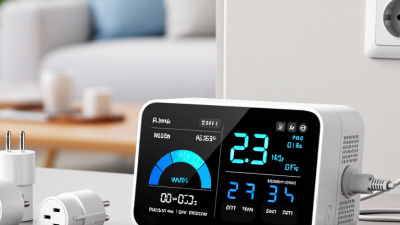
Plug-in appliance energy monitors sit between a wall outlet and one device. Their display can show live power use in watts and accumulated consumption in kilowatt-hours. That makes them useful for checking a desk lamp, fan, or older refrigerator. Small numbers matter. A reading taken over a few minutes may not represent a full day, especially when an appliance cycles on and off.

For a clearer estimate, leave the monitor connected through several normal use cycles, then compare its kilowatt-hour reading with your electricity rate. The result is an estimate, not a guaranteed match to your bill; taxes, time-based rates, and utility calculations can change the total. Check the monitor’s rated voltage and current before connecting an appliance. High-power devices need particular care, and a monitor should only be used with them if its rating permits it. Do not overload an outlet or connect multiple adapters. One limitation is easy to miss: a monitor measures the appliance at that outlet, not every device or standby load in the room.

Portable Clamp-On Current Monitors

Portable clamp-on current monitors are useful when equipment cannot be switched off for a test. Their split-core jaws close around one conductor, letting technicians measure current without disconnecting the circuit. In a plant, that might mean checking a pump cable while the line keeps running. Small detail, big convenience.

Current readings alone do not equal energy use. To estimate power or kilowatt-hours reliably, the monitor also needs suitable voltage, phase, and power-factor measurements.

The International Energy Agency’s 2011 report, Energy-Efficiency Policy Opportunities for Electric Motor-Driven Systems, estimated that motor-driven systems used about 45% of global electricity. That makes motor loads a practical place to investigate, but a clamp reading is only a snapshot. Load changes matter.

Look for true-RMS measurement, a current range suited to the circuit, and logging intervals that capture startup and cycling.

The U.S. Department of Energy’s 2014 sourcebook, Improving Motor and Drive System Performance, reports that motor systems account for roughly 68% of U.S. manufacturing electricity use. Use that figure as context, not as a prediction for any one site.

Clamp around one conductor, not an entire cable; otherwise, opposing currents can cancel in the reading.

Easy to miss. I have seen clean-looking numbers lead to weak conclusions when voltage and load conditions were not recorded.

Handheld Power and Energy Meters

Handheld power and energy meters help technicians check what a circuit is using at a specific moment and over time. Power is usually shown in watts; accumulated energy appears in watt-hours or kilowatt-hours. The distinction matters. A reading of 600 watts is not the same as 600 watt-hours.

For a practical check, a meter may combine voltage leads with a current clamp. The clamp measures current around one conductor without disconnecting it, while the instrument uses voltage and current readings to estimate power. Some models also record energy, power factor, and changing values over a set period. True-RMS measurement can be useful with loads that draw uneven waveforms, such as variable-speed equipment. Small details matter. Check the meter’s measurement category and input limits before connecting it, and follow its instructions.

A compact screen is handy in a crowded panel, but tiny digits can be hard to read in poor light. I would compare a brief reading with a longer logged measurement before judging a device’s typical use. That takes patience. Readings can shift as compressors cycle or chargers change operating modes, and a single snapshot may tell only part of the story. A meter’s records are useful, but they still need context.

Portable Energy Monitor Types: Example Power at 230 V

Plug-in energy meters are convenient for socket-powered appliances; handheld power meters measure electrical values directly; clamp-on meters measure current without disconnecting a conductor; and portable power-quality analyzers provide more detailed readings such as harmonics. The chart shows calculated real power for a single-phase resistive load at 230 V, using P = V × I and a power factor of 1. These are illustrative calculations, not measured readings or limits for every device.

Wireless Whole-Home Energy Monitors

Wireless whole-home energy monitors use small current sensors around the electrical panel’s main wires. They send readings wirelessly to an in-home display or phone app. You can watch the total load rise when an oven, dryer, or air conditioner starts. Some systems also identify individual circuits, making unusual overnight use easier to spot.

The U.S. Energy Information Administration’s 2020 Residential Energy Consumption Survey attributes about 42% of household site energy use to space heating. That matters. A panel monitor measures electricity, so it may miss heating from natural gas or other fuels. Check whether the monitor supports your panel, solar equipment, and circuit layout before buying. Installation inside an electrical panel can involve serious hazards; have a qualified electrician assess it. Readings are estimates, too. Sampling delays or incorrect setup can make a short appliance cycle look confusing. Not magic. Compare the app’s daily totals with your utility bill, and treat odd readings as clues to investigate, not proof of a fault.

Portable Solar and Battery Energy Monitors

Portable solar and battery energy monitors turn changing power flows into readable numbers. Solar monitors track panel voltage, current, watts, and accumulated watt-hours. Battery monitors add state of charge, charging rate, load, and estimated runtime. Some use clamp sensors; others connect through a display or app. Small details matter.

At a campsite, a monitor can show why a 100-watt panel produces less than expected. Panel angle, shade, clouds, and heat all affect output. The IEA’s Global Energy Review 2024 reports that solar PV generation rose by 320 terawatt-hours worldwide in 2023. That describes industry growth, not portable-system performance. An important distinction.

NREL’s 2018 guide, Best Practices for Operation and Maintenance of Photovoltaic and Energy Storage Systems, emphasizes monitoring performance and identifying unusual changes. In the field, compare panel input with battery charging and appliance draw. If readings conflict, check cables, sensor placement, and battery settings before blaming the panel. Estimated runtime is just an estimate; cold conditions and battery age can shift it. A clear screen beats feature overload.