What is an HDMI Portable Monitor and Why You Need One?
In today's fast-paced digital world, an HDMI Portable Monitor has emerged as a game-changer for professionals and tech enthusiasts alike. According to a recent report by Market Research Future, the portable monitor market is projected to grow at a CAGR of over 8% from 2021 to 2027. This growth highlights the increasing demand for versatile display solutions that meet the needs of mobile lifestyles.
Expert James Holt, a leading analyst at TechInsights, states, "HDMI Portable Monitors empower users to expand their workspace, enhancing productivity on the go." This portability allows for seamless connectivity with laptops, game consoles, and other devices, facilitating work or leisure in any setting.
Many users find themselves working from cafes, co-working spaces, or while traveling. A lightweight HDMI Portable Monitor can greatly enhance these experiences. However, not all models are created equal; finding the right balance between quality and practicality can be challenging. As the technology evolves, users must remain aware of their specific needs to fully leverage the advantages that HDMI Portable Monitors offer.
What is an HDMI Portable Monitor?
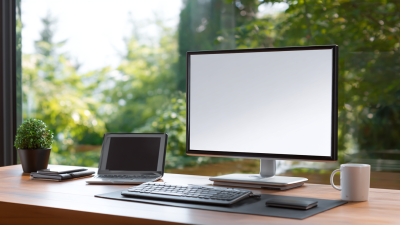
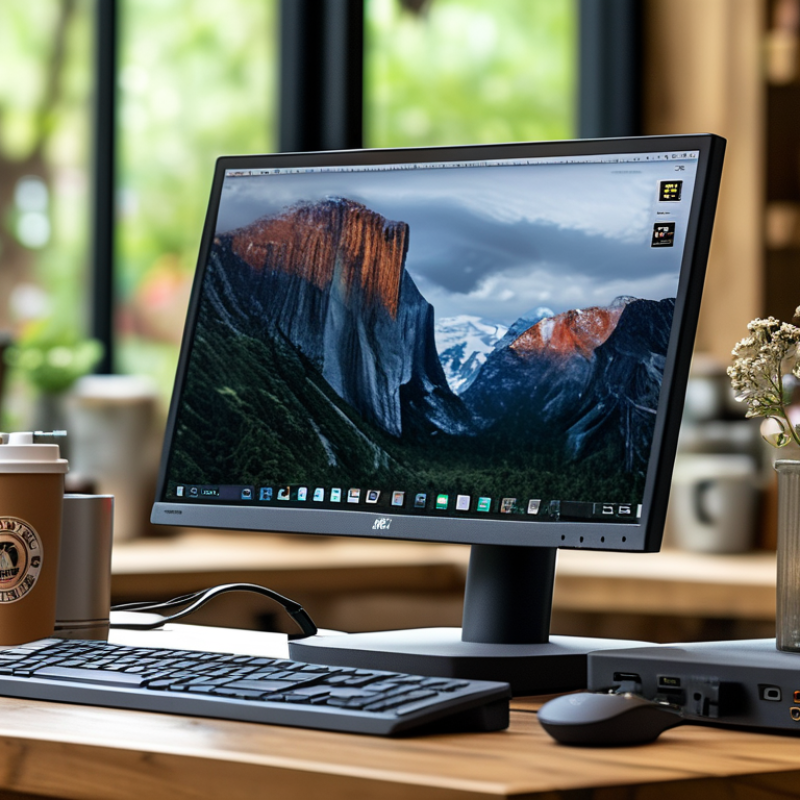
An HDMI portable monitor is a compact display that connects to devices using an HDMI cable. This makes it versatile for both personal and professional use. You can easily connect it to laptops, gaming consoles, or even cameras. Its lightweight design allows you to carry it effortlessly. This functionality is especially useful for on-the-go presentations or gaming sessions.
These monitors offer high-definition display quality, enhancing your viewing experience. With resolutions that can match standard desktop monitors, HDMI portable monitors provide detailed images. For freelancers and digital nomads, having a larger screen can significantly improve productivity. You can check emails while video conferencing or multitask with various applications open. Despite these benefits, not all portable monitors deliver the same visual performance. It’s important to assess specifications before purchase.
There is a downside to consider. Connectivity issues may arise if the HDMI ports do not align perfectly. Sometimes, users encounter limitations with power supply, needing an extra battery or power bank. This can create challenges during busy working hours. It is essential to weigh these practical insights against your specific needs before deciding on a purchase.
Key Features of HDMI Portable Monitors
HDMI portable monitors have become essential tools in today's digital age. These devices serve various purposes, from office work to gaming. One key feature is their lightweight design, making them easily transportable. According to a report by Statista, nearly 40% of remote workers use portable monitors to enhance productivity. This flexibility ensures that professionals can work efficiently anywhere.
Another significant characteristic is the plug-and-play functionality. Users simply connect the monitor via an HDMI port and start working without complex setups. This ease of use has led to increased adoption in both corporate and educational environments. Research from the International Data Corporation (IDC) indicates that portable monitors improve multitasking capabilities by up to 30%. However, it’s crucial to consider the resolution and refresh rate. Not all portable monitors provide optimal display quality, leading to frustration in critical tasks.
Battery life is another consideration. Many portable monitors rely on USB power, which can be limiting for outdoor use. While the portability is attractive, some devices struggle to maintain charge during extended use. Users should evaluate how their setup might impact performance, especially in high-demand scenarios. It’s a balancing act between convenience and functionality, essential for maximizing any workspace.
HDMI Portable Monitor Usage Statistics
Benefits of Using an HDMI Portable Monitor
An HDMI portable monitor is a versatile device that allows users to expand their screen real estate. It's an excellent tool for those who often work on the go. With its lightweight design, you can easily carry it in a backpack. Whether you’re a student, a business professional, or a gamer, this monitor enhances productivity and enjoyment.
One key benefit is the ability to multitask effectively. You can display presentations while viewing notes simultaneously. This dual functionality is invaluable for meetings or studying. The HD resolution provides clear visuals. You can connect it with a simple HDMI cable, making setup quick and straightforward. This ease of use often encourages users to take their work outside of traditional office spaces.
Portability does come with some trade-offs. The screen size may be smaller compared to traditional monitors. Some users might find the brightness insufficient in direct sunlight. These factors could limit use in certain conditions. Reflecting on these challenges helps users to choose the right monitor for their needs. Embracing the imperfections can ultimately lead to better decision-making in their tech purchases.
Ideal Use Cases for HDMI Portable Monitors
HDMI portable monitors are versatile devices for different users. They are useful for professionals who need to extend their workspaces on the go. Graphic designers can benefit from an extra screen while traveling. This screen makes multitasking easier and improves overall productivity.
Students also gain from HDMI portable monitors. They can connect to laptops for presentations. Group study sessions become more engaging with a larger display. A portable monitor keeps everyone focused on the same content.
Remember to check compatibility before purchasing. Not all devices support HDMI output. Consider resolution and size based on your needs. A larger screen may be less portable. Reflect on your requirements to avoid overbuying. Always prioritize quality over quantity. This ensures a better experience in the long run.
What is an HDMI Portable Monitor and Why You Need One? - Ideal Use Cases for HDMI Portable Monitors
| Use Case |
Description |
Benefits |
Recommended Screen Size |
| Travel |
Lightweight and portable monitors for use during travel. |
Easy to carry, additional screen space for presentations. |
15.6 inches |
| Gaming |
Connect to gaming consoles for an enhanced gaming experience. |
More immersive gaming, larger display for local multiplayer. |
17.3 inches |
| Remote Work |
Use as a second monitor for laptops while working remotely. |
Increased productivity, better multitasking. |
14 inches |
| Presentations |
Set up for displaying presentations during meetings. |
Convenient for sharing information, easy setup. |
15.6 inches |
| Design Work |
Use for graphic design and photo editing on the go. |
High-resolution display, great color accuracy. |
17.3 inches |
How to Choose the Right HDMI Portable Monitor?
When selecting an HDMI portable monitor, consider key factors. Screen size is significant. Most portable monitors range from 13 to 17 inches. A smaller screen offers portability. However, larger screens enhance visibility for tasks. Resolution is equally crucial. Many monitors feature Full HD (1920x1080) displays. Yet, some users may crave 4K clarity for graphic design or gaming.
Connectivity options can impact usability. A versatile monitor should support USB-C and HDMI connections. Many devices now favor USB-C for simplified connections. A monitor that lacks this option may become limiting. Weight matters as well. A lightweight monitor is easier to transport. Reports suggest that monitors under 2 lbs are ideal for travel. On the flip side, screens that are too light might feel flimsy or less durable.
Battery life can either be a boon or a bane. Some portable monitors have built-in batteries, allowing for use without a power connection. This feature enhances mobility. However, a short battery life can lead to interruptions. Think about your usage environment. If you plan to work outdoors or in transit, plan accordingly. Balancing these factors is essential. Seek feedback from users who faced similar dilemmas to avoid pitfalls in your choice.