Leave Your Message

10 Best Embedded LCD Displays for Industrial Applications

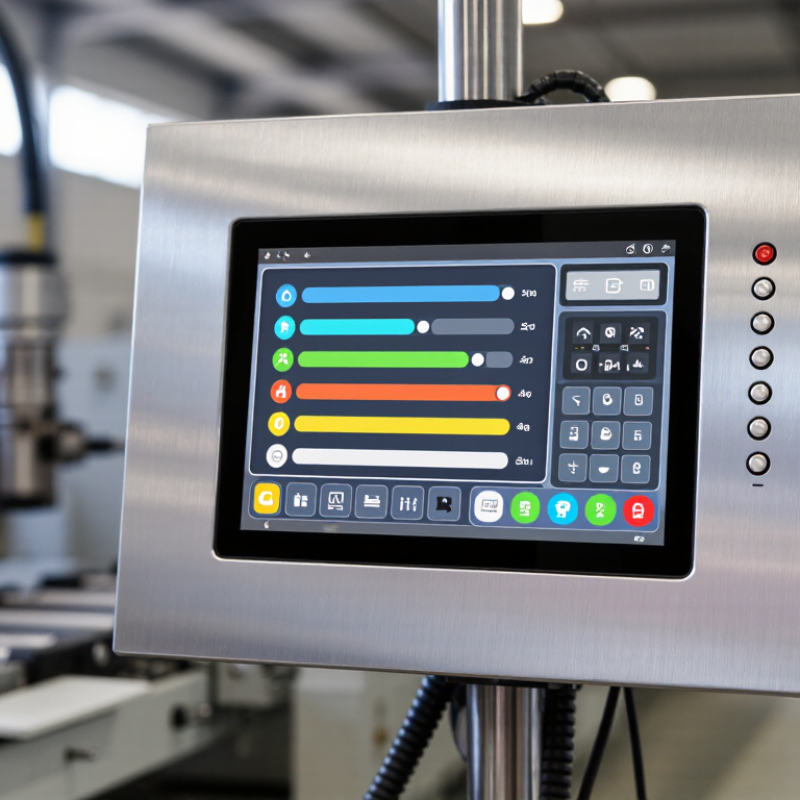
An Embedded Lcd Display is more than a small screen mounted inside industrial equipment. It is the operator’s view of alarms, temperatures, production counts, and machine status. In a factory, that view must remain readable under overhead glare, respond to gloved hands, and withstand vibration and long operating hours. Small design choices matter.

The scale of modern automation makes these requirements increasingly important. The International Federation of Robotics’ World Robotics 2024 report counted 4,281,585 industrial robots operating in factories worldwide in 2023, a 10% increase from the previous year. That figure does not measure display demand directly, but it shows how many automated systems depend on clear, usable interfaces. A display that washes out beside a sunlit loading bay can slow a task. So can a touch panel that misses inputs through work gloves.

Still, brightness alone is not enough. A reliable selection also considers screen size, resolution, viewing angle, touch technology, operating temperature, and available interfaces. Lifecycle support matters, too; replacing a panel years later can be difficult when the original connector or model has disappeared. There is no universal best display. The right choice depends on the machine, its environment, and the operator’s actual workflow. The ten options below provide a practical starting point, though specifications should always be checked against the equipment before purchase.
10 Best Embedded LCD Displays for Industrial Applications

How Embedded LCD Displays Work in Industrial Systems

An embedded LCD display converts electronic data into readable information at the machine. A controller sends image data through an interface, while the display driver manages pixels, color, and refresh timing. The backlight helps keep text visible when factory lighting is uneven. Timing matters. A mismatch between the display and controller can cause flicker, blank screens, or sluggish updates. Touch layers may let operators change settings, but they also add another component to test and protect.

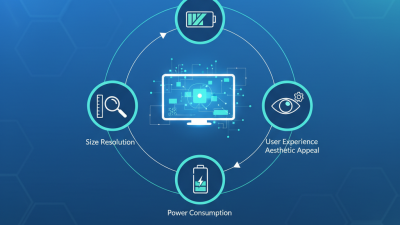
In an industrial system, the display sits inside a larger electrical and mechanical design. Engineers check operating temperature, vibration, viewing angle, and resistance to dust or moisture. They also consider cable length and electrical noise from nearby motors. Dust gets everywhere. A panel that looks clear on a bench may become difficult to read under bright overhead lights, so testing in the actual enclosure is valuable. The first choice is not always right. A smaller screen may fit neatly but make alarms harder to read; a brighter backlight may improve visibility while increasing heat and power use. Careful integration means checking these trade-offs before operators rely on the screen during a shift.
Key Requirements for Industrial LCD Display Performance

Industrial LCD performance starts with the actual installation site, not the product sheet. A panel beside a furnace may face heat and vibration, while a control station near a loading bay needs strong sunlight readability. For indoor equipment, 300–500 cd/m² can be adequate; bright ambient light often calls for 800 cd/m² or more. These are starting points, not guarantees. Cover glass, viewing angle, and reflections can change what operators see.

Temperature ratings must match both operating conditions and storage conditions. Dust, moisture, vibration, and electrical noise also deserve practical testing; IEC 60068 environmental test methods can help define those checks. Touch input needs equal care. Can an operator use it with work gloves? Is the button target large enough beside a moving conveyor? Small details matter. MarketsandMarkets estimated the industrial display market at USD 5.9 billion in 2020, projecting USD 7.9 billion by 2025. That forecast signals demand, but it does not prove any panel will last in a specific machine. A missed detail is easy to overlook: sunlight-readable glass can increase heat buildup. Test the complete assembly, not just the LCD module.

Criteria for Evaluating the Best Embedded LCD Displays

Evaluating embedded LCD displays starts with the operating environment, not the screen size. In factory trials, check readability under glare, viewing distance, vibration, and repeated cleaning. Brightness above 800 nits can improve outdoor visibility, but excessive brightness may increase heat and power consumption. Industrial displays should also support wide operating temperatures, often around -20°C to 70°C. MarketsandMarkets’ Industrial Display Market report projects continued growth through 2029, driven by automation and connected equipment. That growth raises expectations for reliable human-machine interfaces.

Touch performance deserves practical testing. Operators may wear gloves, use wet fingers, or interact with the panel while machinery vibrates. Projected capacitive touch can offer accurate input, but resistive technology may perform better with heavy gloves. Do not judge by laboratory demonstrations alone. Test response time, viewing angles, connector stability, and sunlight readability on the actual machine. The IEC 60068 series provides useful environmental test methods for vibration, temperature, and humidity. These tests add credibility to supplier claims, although they cannot reproduce every factory condition.

Lifecycle planning is equally important. Look for documented component availability, stable interfaces, repair procedures, and a clear replacement strategy. A display with excellent contrast is still a poor choice if its controller becomes unavailable after two years. TÜV and related conformity documentation can support reliability assessments, but certificates are not proof of perfect field performance. I have seen impressive specifications fail because the mounting frame trapped heat. That mistake is easy to miss. Evaluators should record failures, not hide them, and leave thermal, optical, and software margins before approving a design.

10 Best Embedded LCD Displays for Industrial Applications - Criteria for Evaluating the Best Embedded LCD Displays
Rank Embedded LCD Display Type Typical Size Native Resolution Panel Technology Brightness Operating Temperature Industrial Interfaces Touch Option Protection Features Recommended Applications Key Evaluation Strength
1 7-inch High-Brightness Embedded LCD 7.0 in 1024 × 600 IPS TFT 1,000 cd/m² -20°C to +70°C LVDS, HDMI, USB Projected capacitive or resistive Anti-glare surface; optional IP65 front bezel Outdoor control panels, mobile machinery, energy equipment Strong sunlight readability and wide viewing angle
2 10.1-inch Wide-Format Industrial LCD 10.1 in 1280 × 800 IPS TFT 700 cd/m² -20°C to +70°C LVDS, HDMI, USB, RS-232 Projected capacitive 7H cover glass; optional optical bonding Human-machine interfaces, factory automation, process monitoring Balanced size, resolution, and integration flexibility
3 12.1-inch Standard-Aspect LCD 12.1 in 1024 × 768 Industrial TFT 500 cd/m² -30°C to +80°C LVDS, DVI, VGA Resistive or projected capacitive Wide-temperature components; metal mounting frame Machine tools, laboratory instruments, legacy equipment upgrades High compatibility with standard industrial enclosures
4 15-inch Industrial Touch LCD 15.0 in 1024 × 768 TFT LCD 450 cd/m² -20°C to +70°C VGA, DVI, HDMI, USB 5-wire resistive or projected capacitive Front-panel sealing; anti-reflective coating Operator stations, CNC systems, production-line terminals Large work area and reliable glove-compatible operation
5 15.6-inch Full-HD Embedded LCD 15.6 in 1920 × 1080 IPS TFT 500 cd/m² -20°C to +70°C eDP, HDMI, USB Projected capacitive Anti-glare glass; optional optical bonding Industrial PCs, inspection systems, digital control consoles High detail for dashboards, charts, and machine visualization
6 17-inch High-Contrast Industrial LCD 17.0 in 1280 × 1024 TFT LCD 400 cd/m² -20°C to +70°C VGA, DVI, HDMI Optional resistive touch LED backlight; robust aluminum front frame Control rooms, imaging equipment, industrial workstations Clear display of dense technical information
7 19-inch Rack-Mount Industrial LCD 19.0 in 1280 × 1024 Industrial TFT 450 cd/m² 0°C to +50°C VGA, DVI, HDMI, DisplayPort Optional projected capacitive 19-inch rack compatibility; front-panel sealing Server rooms, power distribution, plant monitoring systems Easy rack integration and long-duration monitoring
8 21.5-inch Full-HD Panel LCD 21.5 in 1920 × 1080 IPS TFT 450 cd/m² -20°C to +60°C HDMI, DisplayPort, USB, RS-232 Projected capacitive Tempered cover glass; optional IP65 front protection SCADA workstations, factory dashboards, logistics control centers High-resolution viewing with broad operator visibility
9 24-inch Wide-Viewing-Angle LCD 24.0 in 1920 × 1080 IPS TFT 400 cd/m² 0°C to +50°C HDMI, DisplayPort, DVI, USB Optional projected capacitive Anti-glare coating; vibration-resistant mounting options Engineering visualization, control centers, test systems Wide viewing angle for multi-user environments
10 4.3-inch Compact Embedded LCD 4.3 in 480 × 272 TFT LCD 500 cd/m² -20°C to +70°C RGB, SPI, UART Resistive touch or no-touch Compact bezel; anti-glare lens option Portable instruments, access controllers, compact machinery Low power consumption and space-efficient installation
Evaluation criteria include screen size, resolution, brightness, viewing angle, operating temperature, interface compatibility, touch technology, front-panel protection, mounting flexibility, and suitability for the target industrial environment.

Ten Embedded LCD Displays for Common Industrial Applications

Embedded LCDs serve very different jobs across industrial settings. A useful ten-type shortlist starts with monochrome character displays for counters and status codes, followed by graphic monochrome screens for simple alarms. Compact TFT panels suit machine controls, while capacitive touch screens support detailed menus. Resistive touch panels remain practical where operators wear gloves. Gloves change things.

For bright outdoor equipment, high-brightness LCDs improve readability, though glare can still obscure a screen. Transflective displays handle changing light by combining reflected and transmitted light. Wide-temperature models suit cold rooms and exposed machinery, but check the full operating range, not just the panel specification. Sealed-front displays help on dusty or frequently cleaned equipment. Higher-resolution LCDs make trend graphs and dense process data easier to inspect. A tenth option is a ruggedized display assembly designed to tolerate vibration and repeated use.

The application should guide the choice. A touchscreen adds convenience but may introduce reflections, extra power demand, or calibration needs. A character display can be easier to read at a glance, yet it cannot show detailed trends. Small, but dependable. Check the whole assembly. Test brightness, viewing angle, connector placement, and readability with the actual enclosure and lighting. This shortlist is useful, but not perfect: operators, installation conditions, and maintenance access can change what works best.

Integration, Environmental Protection, and Maintenance Considerations

10 Best Embedded LCD Displays for Industrial Applications

Selecting an embedded LCD display is not only a resolution decision. Integration, sealing, cleaning, and service access often determine long-term reliability. In field installations, a bright screen can still fail when its cable bends sharply behind a cabinet. A practical shortlist should include ten display types, from sunlight-readable panels to glove-friendly touch models. Each choice needs a clear interface, stable mounting points, and a replaceable cable path.

Environmental protection must match the actual worksite. IEC 60529 rates IP65 equipment as dust-tight and protected against water jets, but it does not certify chemical resistance or continuous immersion. The NEMA Enclosure Type Rating system adds useful guidance for oil, coolant, and corrosion exposure. That distinction matters near machine tools. A sealed bezel, conformal-coated controller, and vent membrane can reduce contamination risk. However, sealing every opening may trap heat.

Brightness should be measured after protective glass installation. The U.S. Department of Energy notes that display power and thermal performance are closely linked in electronic equipment. Excess brightness creates unnecessary heat. Maintenance teams also need front access, status indicators, and documented replacement procedures. ISO 9241-307 recommends evaluating visual performance under realistic viewing conditions, not only in laboratories. My field preference is a slightly lower-resolution panel with better service access. It is less impressive on paper. Sometimes, that is the wiser decision. Condition monitoring can extend inspection intervals, but it cannot replace a physical check in dusty or humid areas.

Embedded LCD Enclosure Protection for Industrial Applications

Compare the dust and water protection digits of common IEC 60529 IP ratings. These ratings apply to the complete enclosure, not the LCD panel alone.

Higher digits indicate more demanding protection tests within each category. IP68 water-test conditions are specified by the enclosure manufacturer. Select a rating based on the installation environment, sealing and connector integration, and service access requirements.