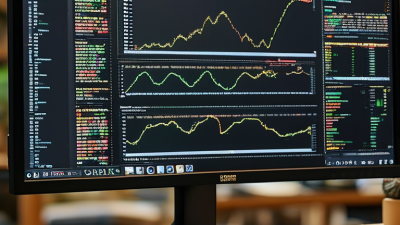
A Full Color LCD Display creates color by controlling how much red, green, and blue light reaches each pixel. The idea sounds simple. The engineering is not. A white backlight passes through liquid-crystal cells and color filters, while precise drive signals shape the image. On a desk, this can mean crisp text against a bright white page. In a car, it can mean readable navigation under harsh sunlight.
Industry reports help explain why this technology still matters. Omdia’s display-market forecasts track LCD panel demand across televisions, monitors, notebooks, and other applications. The International Display Technology Roadmap also examines performance factors such as resolution, power use, and viewing characteristics. Together, these sources show why “full color” alone is not a complete quality measure. Pixel density, contrast, brightness, color accuracy, and viewing angle affect what people actually see. Specifications can look impressive on paper. Real rooms and changing light expose their limits.
Display researcher Dr. Shin-Tson Wu has published extensively on display optics and color technologies. A concise paraphrase of his research is: “Color performance depends on the complete optical system, not one panel specification.” This is a paraphrase, not a verbatim quotation. It is a useful caution. A vivid red in a showroom may look muted at an angle, and two panels with similar specifications may render skin tones differently. Understanding how a Full Color LCD Display works makes those differences easier to assess—and reminds us that no single number tells the whole story.
What Is a Full Color LCD Display?
What Defines a Full Color LCD Display?
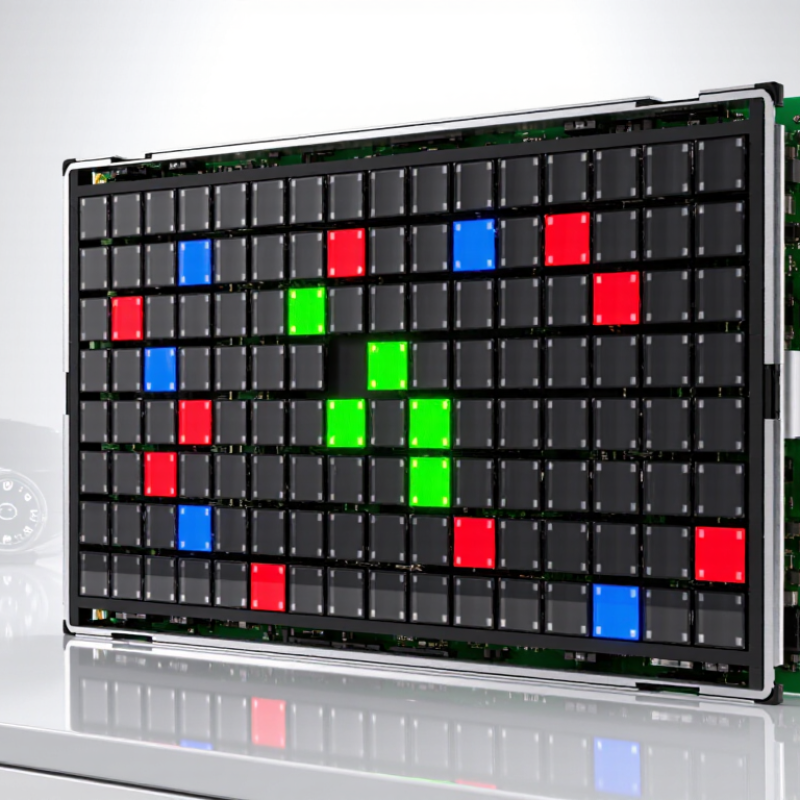
A full color LCD creates color by controlling red, green, and blue light within each pixel. In most panels, tiny liquid-crystal cells regulate light from a backlight, while color filters separate the three channels. The cells do not produce light themselves. They shape it.
Each subpixel can display many intensity levels. Combined, the three channels create a broad range of shades, from muted gray to vivid orange. A panel with 1,920 by 1,080 pixels has over six million subpixels, not six million complete pixels. That distinction is easy to miss. Color depth also matters: an 8-bit channel supports 256 levels, though actual output depends on panel design and processing.
“Full color” is not a precise performance grade by itself. It does not guarantee wide color gamut, accurate skin tones, high brightness, or consistent viewing angles. These depend on filter materials, backlight spectrum, electronics, and calibration. A useful evaluation checks measured gamut, brightness, contrast, and color accuracy under realistic settings. A specification sheet can sound complete while leaving these details unclear. The term can be frustratingly vague, so treat it as a description of RGB color capability and verify the measurements that matter for the display’s intended use.
An LCD builds a picture from tiny pixels, each divided into red, green, and blue subpixels. A backlight shines through the panel; liquid crystals adjust how much light passes through each area. Color filters then shape that light. The screen does not create light pixel by pixel. It controls light.
Adjusting the red, green, and blue subpixels in different amounts creates a broad range of colors. An 8-bit channel offers 256 code values, so three channels can represent 16,777,216 combinations. That is a mathematical maximum, not a promise that every panel can show them accurately. IEC 61966-2-1 specifies the sRGB color encoding. Actual results also depend on a display’s gamut, calibration, and viewing angle. VESA’s DisplayHDR Compliance Test Specification includes peak-brightness tiers such as 400 and 600 cd/m²; these describe brightness, not color accuracy. The distinction matters.
Tips: View the screen straight on and compare a smooth color gradient. Look for washed-out hues or visible banding. Specs tell part of the story; your eyes may disagree.
A full-color LCD depends on several layers working together. The backlight supplies white light, while polarizers control its direction. A thin-film-transistor (TFT) array switches individual pixels on and off. Above it, liquid crystals twist under electrical voltage, regulating how much light passes through. The color filter divides each pixel into red, green, and blue subpixels. Three channels matter. By varying their brightness, the display creates a broad range of colors. Driver circuits deliver the precise voltage patterns that coordinate those pixels.
The parts are interdependent. A strong backlight cannot correct a poorly aligned color filter, and a fast TFT array cannot guarantee accurate color by itself. The International Committee for Display Metrology’s measurement standards distinguish pixel resolution from subpixel structure, a useful reminder that “pixel count” does not describe every detail of color reproduction. IDC reported 1.17 billion smartphone shipments worldwide in 2023 in its Worldwide Quarterly Mobile Phone Tracker. That figure covers many display types, not LCDs alone, but it shows the scale of devices where consistent color and brightness matter. In practice, viewing angle, backlight uniformity, and aging can still shift the image. The neat layer diagram is helpful, but real panels are less tidy.
A typical RGB-stripe LCD pixel contains one red, one green, and one blue subpixel. The backlight provides light, while the TFT-controlled liquid crystals regulate how much passes through each subpixel’s color filter. Combining different red, green, and blue intensities produces the colors on screen.
A full-color LCD creates images by controlling red, green, and blue subpixels, while a backlight supplies illumination. Panel technology affects how those pixels look. TN panels often offer quick response, but colors and contrast can shift when viewed from the side. IPS panels usually keep colors more consistent across wider viewing angles. VA panels can produce deeper blacks, though some models respond more slowly during fast motion. Trade-offs matter.
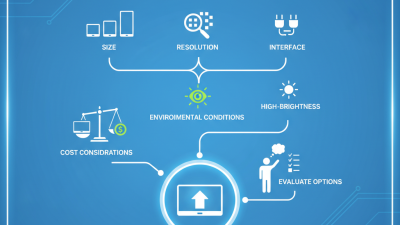
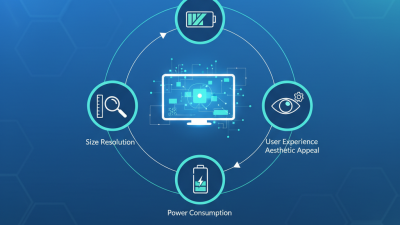
Specifications help match a display to its setting. Resolution describes the number of pixels; a small screen with high resolution can show fine text, but tiny controls may become harder to read. Brightness, measured in nits, matters near windows or under strong room lighting. Contrast ratio describes the difference between bright whites and dark areas, while color gamut indicates the range of colors a screen can reproduce. Viewing angle and response time also matter for shared screens and moving images. Check the interface, operating temperature, and power needs before choosing a module. Numbers do not tell the whole story; real performance can vary with settings, lighting, and the content shown. A quick viewing test is worthwhile.
What Is a Full Color LCD Display?
Where Are Full Color LCD Displays Used?
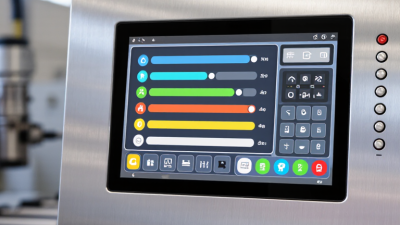
Full-color LCD displays are used wherever people need readable images, numbers, or controls. Common examples include smartphones, tablets, vehicle dashboards, medical monitors, factory control panels, and retail payment terminals. Look beyond phones. In a clinic, a screen might show a patient’s pulse beside a clear warning icon. On a factory floor, it may display a temperature reading that workers must spot quickly.
Industry figures show why these settings matter. IDC reported 1.24 billion smartphone shipments worldwide in 2024, up 6.4% from 2023. That figure describes phones overall, not LCD screens alone; many devices use other display technologies. In vehicles, screens support navigation and driver information. The International Energy Agency reported nearly 14 million electric car sales in 2023, around 18% of all car sales. This signals a growing connected-vehicle market, though it does not measure display shipments directly. LCDs also suit appliances and industrial equipment, where stable text and practical viewing angles can matter more than deep blacks. They are not ideal for every setting: glare, viewing angle, and backlight power deserve attention.
Tips: Match the display to its surroundings. Check brightness under direct light, and test small text from the user’s normal viewing distance. A screen that looks crisp on a desk may feel tiring on a bright control floor.
Sources: IDC Worldwide Quarterly Mobile Phone Tracker, January 2025; IEA Global EV Outlook 2024.
What Is a Full Color LCD Display? - Where Are Full Color LCD Displays Used?
| Topic or Application | How It Works or Where It Is Used | Typical LCD Characteristics | Practical Considerations |
|---|---|---|---|
| What a full color LCD is | A liquid crystal display that produces a range of colors by controlling light through red, green, and blue subpixels in each pixel. | Color filters and individually controlled pixels combine light from the subpixels to create different colors and shades. | Color performance depends on factors such as panel design, backlight, pixel density, and viewing conditions. |
| Light source | Most color LCDs use a backlight because liquid crystals modulate light rather than generating it. | Many modern panels use LED backlighting; some designs use reflective or transflective construction to make use of ambient light. | Backlight brightness affects visibility and power use. Reflective designs can be useful in bright surroundings but may have different appearance and color characteristics. |
| Consumer electronics | Used in devices such as televisions, computer monitors, tablets, and some handheld electronics. | Panels are selected to suit requirements for screen size, resolution, viewing angle, refresh behavior, and color reproduction. | Ambient light, viewing distance, and intended content influence the preferred brightness and resolution. |
| Automotive displays | Found in instrument clusters, infotainment systems, navigation screens, and rear-seat displays. | Display designs may be chosen for readability across changing cabin lighting and a range of operating temperatures. | Sunlight readability, glare, temperature range, reliability, and clear presentation of driver information are important considerations. |
| Industrial equipment | Used in machine-control panels, process monitors, test equipment, and human-machine interfaces. | Screen size, interface type, brightness, and operating range vary according to the equipment and installation environment. | Designers consider long operating hours, vibration, dust, moisture, glove use, and the need for readable status information. |
| Medical equipment | Used in equipment interfaces and displays for presenting controls, measurements, and other visual information. | Requirements depend on the device and the role of the displayed information; some applications need careful attention to image consistency and legibility. | Display selection should follow the equipment’s intended use and applicable safety and performance requirements. |
| Public information and signage | Used for transport information, directories, menus, notices, and other indoor or outdoor visual communications. | Screen size and brightness are matched to viewing distance, content, and installation conditions. | Outdoor installations may need high brightness, suitable environmental protection, and consideration of direct sunlight and temperature. |
| Portable instruments and appliances | Used in meters, cameras, home appliances, and other products that display settings, readings, or menus. | Compact panels can provide color icons, graphs, text, and status indicators in a small area. | Power consumption, viewing angle, control method, and readability at the expected viewing distance help determine the suitable panel. |
Summary: A full color LCD uses controlled red, green, and blue subpixels to display color images. It is used across consumer, automotive, industrial, medical, and information-display applications, with panel features selected to fit the viewing environment and product requirements.