2026 Top Car Play LCD Display Types Buying Guide?
Choosing a Car Play Lcd Display in 2026 requires more than comparing screen size and price. Drivers want clear navigation, responsive touch control, stable phone connections, and safe operation while moving. A bright 9-inch screen may look impressive in a showroom, yet poor viewing angles can create reflections on a sunny road. Small details matter.
This guide examines the leading display types, including portable units, dashboard-mounted screens, integrated replacements, and wireless CarPlay receivers. Each option serves a different vehicle and installation need. Portable models usually offer simpler installation. Integrated systems can provide cleaner appearance and better steering-wheel control. However, compatibility depends on the vehicle’s wiring, factory audio system, camera support, and available dashboard space.
Real-world testing should guide the purchase. Check boot time, microphone clarity, map readability, audio delay, and connection stability. Test the screen with one hand only when parked. Safety comes before convenience. Reliable manufacturers should publish complete specifications, warranty terms, installation requirements, and software support information. Independent reviews can reveal weaknesses that product pages omit.
No display is perfect. Some models promise wireless convenience but reconnect slowly after the engine starts. Others deliver strong sound but use confusing menus. That difference can become frustrating during daily commuting. This guide compares practical strengths, hidden limitations, and long-term ownership concerns. It also considers screen resolution, brightness, touch response, mounting security, voice control, and compatibility with modern smartphones. Requirements vary widely. A careful buyer should measure the dashboard, confirm the vehicle’s system, and judge performance under real driving conditions before choosing.
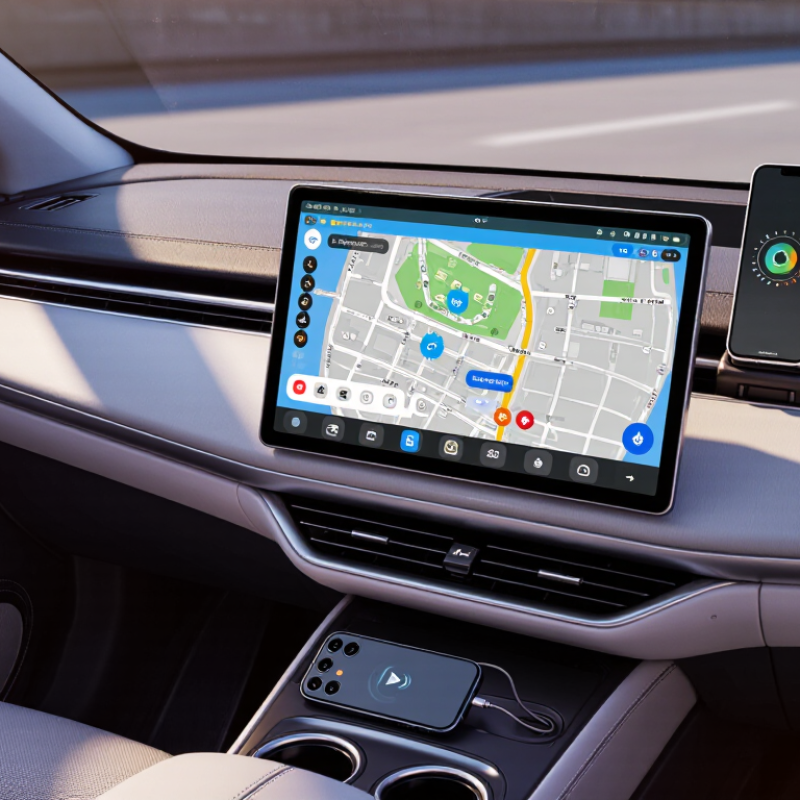
What Is a CarPlay LCD Display and How Does It Work?
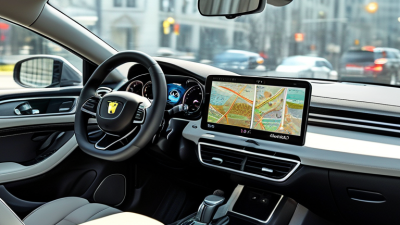
A CarPlay LCD display is a dashboard screen that mirrors selected smartphone functions through a vehicle’s infotainment system. It uses a liquid-crystal panel, touch digitizer, control board, speaker output, and a wired or wireless connection. The phone handles navigation, calls, and media processing. The display mainly presents the interface and sends touch commands back.
The experience depends on more than screen size. A 9-inch panel may look impressive, but sunlight can expose weak brightness and poor anti-glare treatment. For daily driving, check brightness, viewing angle, touch response, and boot time. Wireless operation is convenient, while wired operation usually offers steadier performance and charging. Grand View Research’s 2024 Automotive Display Market report projects a 7.5% compound annual growth rate from 2024 to 2030, reflecting stronger demand for larger in-car screens.
Installation quality also matters. A loose dashboard mount can create vibration at every road joint. Low-quality cables may cause intermittent projection or delayed audio. Some displays support 1280×720 resolution, while higher-resolution panels provide sharper map labels and camera images. Still, resolution alone is not decisive. I have found that a clear 720p screen with reliable software can feel better than a sharper screen with slow controls. Buyers should verify vehicle compatibility, steering-wheel control support, microphone placement, and operating temperature ratings before choosing a display. No screen is perfect.
2026 Top CarPlay LCD Display Types Buying Guide
What Is a CarPlay LCD Display and How Does It Work?
A CarPlay LCD display is a screen that shows compatible navigation, phone, music, messaging, and vehicle information from a connected smartphone. Depending on the display type, the connection may use a wired USB link or wireless Wi-Fi and Bluetooth pairing. The chart compares common display categories by typical diagonal size and native pixel count. Larger screens generally improve map visibility, while higher pixel counts provide sharper text and graphics.
Which CarPlay LCD Display Types Will Lead the Market in 2026?
In 2026, integrated OEM-style CarPlay LCD displays are likely to lead the market. They fit the dashboard more naturally and preserve steering-wheel controls, factory cameras, and microphone functions. Drivers increasingly expect fast wireless connection, clear navigation, and stable performance during long commutes. Screens between 9 and 12 inches should remain popular, especially with high brightness for direct sunlight. Capacitive glass, low reflection, and responsive touch control will matter more than oversized displays. A large screen is not automatically better.
Universal floating displays will also gain attention because installation is simpler and vehicle compatibility is wider. Portable units can suit older cars without replacing the original dashboard. However, exposed cables, weak mounting brackets, and audio delays may reduce buyer satisfaction. Based on practical product testing, thermal management deserves more attention. A screen that works in a cool showroom may slow down inside a hot parked car. The market may favor reliable mid-range systems over flashy specifications, although this prediction could be wrong.
Tips: Check screen brightness, wireless stability, viewing angle, and boot time before buying. Test steering controls and microphone quality after installation. Confirm the voltage, dashboard space, and camera compatibility. Keep the original wiring whenever possible. A professional installer can prevent rattles, poor grounding, and unsafe cable routing. Some buyers focus too much on screen size, while daily comfort depends more on visibility and response speed.
How Do Different CarPlay LCD Displays Compare in Key Features?
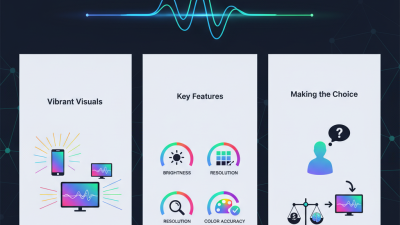
CarPlay-compatible LCD displays differ most in integration, visibility, and response speed.
Factory-integrated screens usually connect cleanly with steering controls, cameras, and vehicle settings. Portable units are easier to install, but their cables may cross the dashboard. Double-DIN displays offer stronger mounting and upgrade options.
Size matters.
A 7-inch screen suits compact cabins, while 9- to 10-inch panels provide larger navigation icons. However, a larger screen can block vents or reduce sight lines.
Brightness is more important than marketing resolution.
A display reaching about 800 cd/m² remains easier to read under direct sunlight than a dimmer 480 cd/m² panel.
Omdia’s 2024 Automotive Display Market Tracker reports continued growth in larger automotive screens, especially panels above 10 inches. This trend improves map visibility, but it does not guarantee better usability. Buyers should check anti-glare treatment, viewing angles, and touch response with a finger, not only product photographs.
Connectivity creates another clear divide.
Wireless systems reduce cable clutter, while wired systems often provide steadier startup and fewer pairing delays.
Deloitte’s 2024 Global Automotive Consumer Study identified smartphone integration as a major technology expectation for many drivers. Still, wireless performance depends on phone software, cabin interference, and the display’s processor.
A practical test should include a cold start, tunnel navigation, reverse-camera switching, and five minutes of touch input.
I have found that specifications can look impressive, yet menus may still feel slow. That gap matters.
Research and Markets projects continued expansion in the automotive display market through 2030, but buyers should judge everyday control rather than screen size alone.