Leave Your Message
Choosing the right Car Play Lcd Display is not simply a matter of selecting the largest screen. Global buyers must compare brightness, touch response, installation depth, wireless stability, sound output, and vehicle compatibility. A vivid 9-inch panel may look impressive in a showroom, yet its glare can become distracting under direct afternoon sunlight. Small details matter. A loose mounting bracket matters, too.
Apple executive Greg Joswiak described CarPlay as “the ultimate co-pilot.” That idea remains useful, but the display itself determines how safely and naturally drivers interact with navigation, calls, music, and reversing cameras. This guide examines ten common Car Play Lcd Display types, including portable dashboard units, double-DIN receivers, floating-screen systems, headrest displays, and factory-style replacements. Each type serves a different buyer, budget, and vehicle interior.
Real-world evaluation requires more than product photographs. Buyers should check viewing angles, screen refresh behavior, microphone quality, cable routing, software updates, and regional compliance documents. Warranty support also deserves attention. A low price can become expensive after installation problems. Some specifications look excellent on paper but feel disappointing during daily driving. That is worth admitting. No display is perfect, and even experienced installers can overlook heat, dust, or dashboard vibration. The comparisons ahead focus on practical performance, installation confidence, and long-term usability, helping buyers make a more informed decision across different markets.
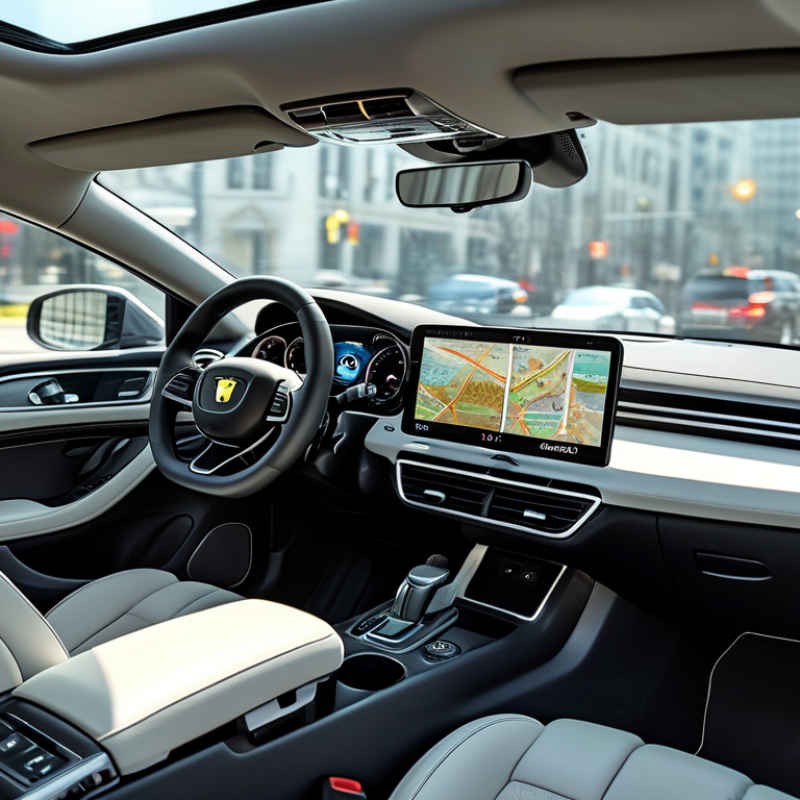
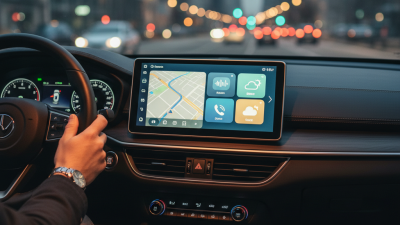
A CarPlay LCD display is a screen-based vehicle interface, not merely a larger monitor. It receives navigation, calls, music, and messages from a compatible phone. The display usually connects through USB or wireless communication. Its processor manages touch input, audio routing, and steering-wheel commands. The vehicle’s speakers then deliver the selected audio. Simple in theory.
Common types include factory-integrated units, replacement dashboards, floating screens, and portable displays. Factory units often communicate with vehicle settings, cameras, and climate controls. Replacement units may offer sharper resolution, faster processors, and wider viewing angles. Portable models are easier to install, but their wiring can look untidy. A 7-to-10-inch panel usually balances readability with dashboard space. Bigger is not always better.
S&P Global Mobility reported that the average U.S. light vehicle age reached 12.6 years in 2024. That aging fleet creates demand for modern phone-projection displays. NHTSA recorded 3,308 deaths in distraction-affected crashes during 2022. Therefore, a useful display should reduce menu hunting, not encourage constant tapping. Physical volume controls, clear icons, anti-glare glass, and responsive touch layers matter. Installation quality matters too. Poor grounding can cause noise, flickering, or random reboots. Industry testing still misses some real-world heat and vibration problems. Buyers should check screen brightness, phone compatibility, microphone performance, and warranty terms before purchase.
| Rank | CarPlay LCD Display Type | Typical Screen Size | LCD and Touch Technology | Common Installation | How It Connects and Functions | Main Advantages | Key Limitations | Best-Suited Buyer |
|---|---|---|---|---|---|---|---|---|
| 1 | Factory-Integrated In-Dash Display | 7–12.3 inches | IPS or TFT-LCD; capacitive touch on many newer systems | Built into the vehicle dashboard during production | Connects to a compatible smartphone through a wired USB connection or wireless Bluetooth and Wi-Fi pairing. The display shows a simplified CarPlay interface while the smartphone supplies most apps, maps, messages, and media functions. | Clean appearance, stable mounting, integrated vehicle controls, and support for steering-wheel buttons or voice control | Usually difficult to replace or upgrade; compatibility depends on the vehicle’s original electronics | New-vehicle buyers and owners who prioritize an original-equipment appearance |
| 2 | Aftermarket Double-DIN LCD Receiver | 6.8–9 inches | Capacitive or resistive touchscreen; commonly TFT or IPS LCD | Replaces a standard double-DIN radio opening | Receives smartphone data through USB or wireless connectivity, processes the audio and control signals, and outputs sound through the vehicle’s amplifier or speakers. | Broad vehicle compatibility, dashboard integration, physical installation, and access to upgraded audio features | May require a vehicle-specific trim kit, wiring adapter, antenna adapter, or steering-control interface | Owners replacing an older factory radio with a permanent system |
| 3 | Aftermarket Single-DIN Flip-Out Display | 6.2–9 inches | Motorized capacitive or resistive touchscreen; TFT or IPS LCD | Fits a single-DIN dashboard slot with a retractable screen | The motorized panel extends from the radio chassis. After smartphone pairing or USB connection, the screen provides navigation, calls, messages, and media controls through CarPlay. | Useful for vehicles with limited dashboard space and provides a relatively large screen in a compact radio opening | Moving parts can wear over time; the screen may cover air vents or controls in some dashboards | Owners of older vehicles with a single-DIN radio opening |
| 4 | Portable Dashboard-Mounted Display | 7–10.26 inches | Usually IPS or TFT-LCD with capacitive touch | Mounted on the dashboard using a suction cup, adhesive pad, or bracket | The unit receives CarPlay data wirelessly or through USB. Audio is sent through an auxiliary output, Bluetooth, FM transmission, or a built-in speaker, depending on the design. | Fast installation, easy transfer between vehicles, and no replacement of the factory radio | Visible cables, possible dashboard glare, and audio quality that depends on the selected output method | Leasing customers, multi-vehicle users, and buyers seeking a non-permanent solution |
| 5 | Rearview-Mirror Replacement Display | 8–12.3 inches | Wide-format LCD, commonly IPS or TFT; touch control varies by model | Clips over or replaces the original interior rearview mirror | CarPlay content appears on the mirror-shaped screen. Some systems also accept a rear camera input, while smartphone connection is handled through USB or wireless pairing. | Does not occupy the center console and can combine smartphone control with rear-camera viewing | May reduce the visible mirror area, and screen brightness or reflections can affect daytime visibility | Drivers who want a high-mounted display or additional camera functionality |
| 6 | Head-Up Display with CarPlay Support | Virtual image; projector hardware often uses a compact LCD or optical module | Reflective combiner or windshield projection; not a conventional dashboard touchscreen | Mounted on the dashboard or integrated into the instrument area | Selected information such as navigation instructions, speed, or alerts is projected into the driver’s forward field of view. Full CarPlay app interaction is generally limited compared with a center touchscreen. | Can reduce the need to look down and keeps key driving information near the road view | Usually provides limited app interaction and can be affected by windshield angle, sunlight, or display position | Drivers who value glanceable navigation and minimal visual distraction |
| 7 | OEM-Style Replacement LCD Unit | 8–12.3 inches | IPS or TFT-LCD; capacitive touch is common | Designed to match the original dashboard shape and mounting points | The unit replaces the original head unit while using vehicle-specific harnesses or interfaces. It displays CarPlay and may retain selected factory functions when the electrical integration is compatible. | More integrated appearance than a portable unit and may preserve factory-style controls or camera inputs | Vehicle compatibility is highly specific; installation may require configuration, adapters, or professional fitting | Owners seeking a factory-like upgrade for an older vehicle |
| 8 | Wide Panoramic Center Display | 10.25–15.6 inches | Wide IPS or TFT-LCD; typically capacitive touch | Dashboard-mounted or installed as a large center-console replacement | The wide panel presents CarPlay in a landscape layout. A compatible smartphone supplies the CarPlay interface, while the display manages touch input, audio output, and connected vehicle peripherals. | Large viewing area, clear map presentation, and strong visual impact for modernized interiors | Can obstruct vents or controls, may require substantial dashboard modification, and can be excessive for small cabins | Buyers who prioritize a large navigation and media display |
| 9 | Split-Screen or Dual-Zone LCD Display | 9–15 inches | IPS or TFT-LCD with capacitive touch; software-controlled split view | Integrated in-dash or large aftermarket dashboard installation | The display divides the panel into two information areas, such as navigation with media controls. The smartphone connection supplies CarPlay data, while the display software manages the layout. | Allows navigation and audio information to remain visible at the same time | Some applications or functions may not support every split-screen arrangement; a larger panel is usually required | Drivers who want navigation and media controls visible simultaneously |
| 10 | Rear-Seat or Headrest LCD Display | 7–12.5 inches | IPS or TFT-LCD; capacitive touch is common | Mounted on a headrest, seatback, or rear passenger console | The display can mirror or independently access compatible smartphone media, depending on the system design. Audio may use vehicle speakers, headphones, or a separate wireless connection. | Improves passenger entertainment and keeps the front dashboard available for the driver | Less suitable for driver navigation; independent content and connection features vary considerably by system | Families and passenger-transport users who need rear-seat entertainment |