How to Choose the Right Full Size LCD Display for Your Needs?
Choosing the right Full Size LCD Display can significantly enhance your experience, whether for work, gaming, or entertainment. With various models on the market, it’s easy to feel overwhelmed. Understanding your needs is crucial.
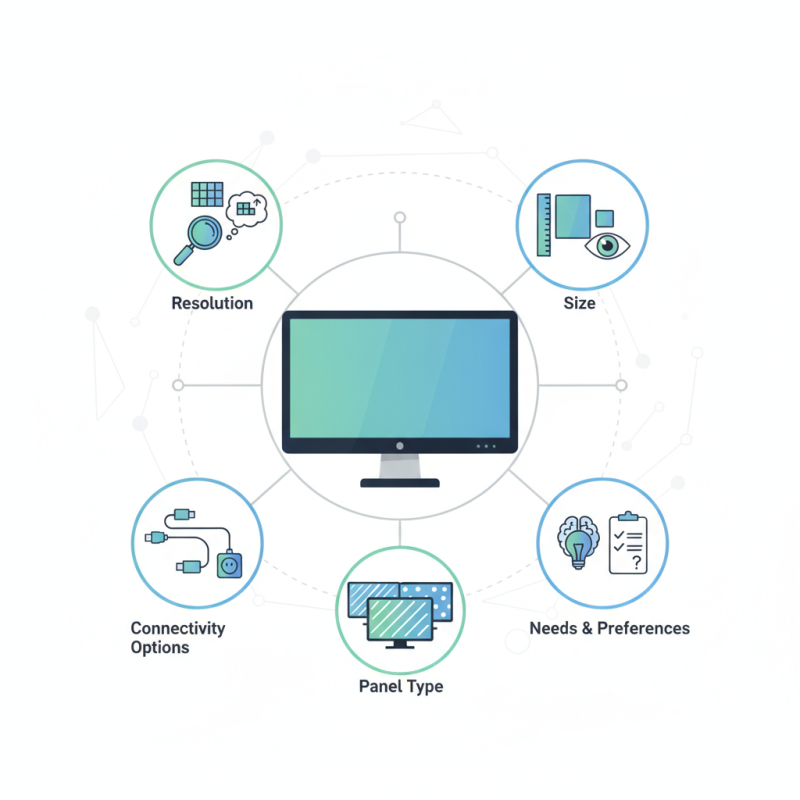
Consider resolution, size, and panel type. A high resolution offers sharper images, but cost can rise. Think about how you will use the display. Watching movies may require different specs than gaming.
Additionally, look into connectivity options. Does the display support HDMI? What about USB-C? These features can either simplify or complicate your setup. Reflect on your preferences and needs to avoid mistakes. Not every Full Size LCD Display will serve you best.
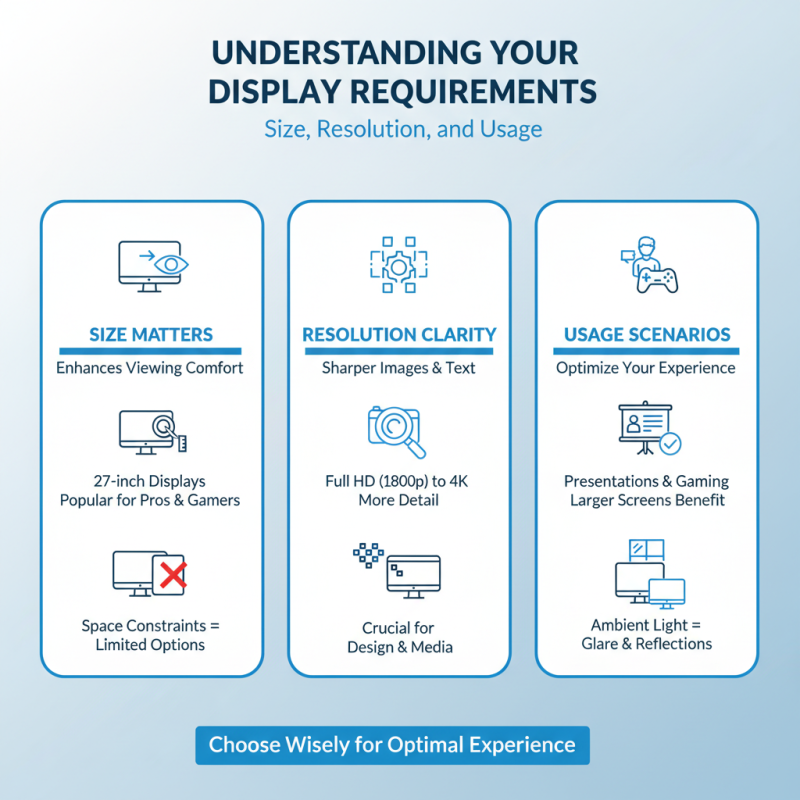
Understanding Your Display Requirements: Size, Resolution, and Usage
When choosing a full-size LCD display, understanding your display requirements is crucial. Size plays a significant role in user experience. A larger screen can enhance viewing comfort, especially during presentations or gaming. Research indicates that 27-inch displays are increasingly popular among professionals and gamers due to their immersive experience. However, space constraints may limit your options, leading to reflections and glare from ambient light.
Resolution is another critical factor. The trend is moving towards higher resolutions, with 4K displays capturing attention. Studies show that 4K monitors deliver sharper images and finer details, making them ideal for graphic design and video editing. Yet, it’s important to question if such high resolution is necessary for casual browsing or office tasks. Lower resolutions can suffice and save costs.
Usage should dictate the final choice. A display meant for gaming may require a higher refresh rate, around 144Hz, to reduce motion blur. On the other hand, a display used mainly for word processing doesn’t demand such specifications. Balancing these needs with your budget is often challenging. While performance is important, the right display should align with actual usage rather than theoretical expectations.
Exploring Different Types of LCD Technologies: IPS, TN, and VA Panels
When it comes to selecting a full-sized LCD display, understanding the different types of panel technologies is crucial. The three main types are IPS, TN, and VA panels. Each has its unique strengths and weaknesses.
IPS panels are known for their vibrant colors and wide viewing angles. They work well for creative professionals and those who enjoy watching movies. However, they can be more expensive and may have slower response times. TN panels, on the other hand, are often favored by gamers. They offer quick response times at a lower price. But their color reproduction and viewing angles can be lacking. VA panels come in between, delivering good contrast and decent colors. Yet, they sometimes have slower refresh rates, which could affect fast-paced gaming.
**Tip:** Determine your primary usage before making a decision. For general office work, TN panels might suffice. But for design work, opt for IPS.
Consider your budget, too. The cost can vary significantly among these technologies. You may find a great deal on a TN panel but might regret the color quality in the long run.
**Tip:** Try viewing displays in-store. Personal experience can greatly influence your satisfaction. Trust your eyes, not just the specs.
Evaluating Brightness and Contrast Ratios for Optimal Viewing Experience
Choosing the right full-size LCD display involves more than just size. Brightness and contrast ratios significantly impact the viewing experience. A brighter screen makes images pop. However, brightness levels can vary greatly. The ideal brightness for indoor use is generally between 250 to 300 nits. For outdoor environments, consider displays with 500 nits or more. Unfortunately, many users overlook this critical factor.
Contrast ratio is just as crucial. It defines the difference between the brightest white and the darkest black that a display can produce. A higher contrast ratio enhances the depth of images. Typically, a contrast ratio of 1000:1 is considered acceptable, but some models boast ratios as high as 3000:1. This can make colors appear more vibrant and realistic. Yet, not all specifications are created equal. Manufacturers often exaggerate these claims, leading to disappointing real-world performance.
Many users may find themselves with displays that lack adequate brightness or contrast. This results in washed-out images in bright rooms. Users should evaluate their environment before a purchase. It's easy to get swayed by flashy specs. Real-life performance can be quite different. Always check third-party reviews and user experiences to make an informed decision.
Assessing Connectivity Options: HDMI, DisplayPort, and USB-C Standards
When selecting a full-size LCD display, connectivity is key. HDMI, DisplayPort, and USB-C are the primary standards you'll encounter. HDMI is common for consumers. In fact, over 90% of televisions and monitors use this interface. It's simple and widely compatible. DisplayPort is gaining traction, especially among gamers and creative professionals. This standard supports higher resolutions and refresh rates, making it ideal for demanding tasks.
USB-C has emerged as a versatile option. This standard allows power delivery and data transfer. Many modern laptops now offer USB-C ports, enhancing connectivity options significantly. Reports indicate that 40% of new devices now feature USB-C. Yet, not all USB-C ports support video output. Always check specifications before purchasing.
Tips for choosing the right port: If you plan to use your display for gaming, opt for DisplayPort. It’s better for high refresh rates. For casual viewing, HDMI works well. If you need a clutter-free setup, consider USB-C. However, ensure compatibility. It's frustrating to find that the cable you bought doesn’t fit the port.
Another aspect to consider is cable quality. Not all cables deliver the same performance. Test different cables to find the best one for your setup. Sometimes, the cheapest option can lead to disappointing results.
How to Choose the Right Full Size LCD Display for Your Needs?
| Aspect |
HDMI |
DisplayPort |
USB-C |
| Max Resolution |
4K (3840x2160) |
8K (7680x4320) |
4K (3840x2160) |
| Refresh Rate |
60 Hz |
120 Hz |
60 Hz |
| Audio Support |
Yes, ARC support |
Yes, Multi-Stream Transport |
Yes, Audio over USB-C |
| Cable Length |
Up to 15 meters |
Up to 3 meters (Active cable for longer) |
Up to 2 meters |
| Use Case |
Home theater, Gaming |
High-end monitors, Gaming |
Laptops and mobile devices |
Analyzing Market Trends: Leading Brands and Price Points in 2023
In 2023, the market for full-size LCD displays is rapidly evolving. Many consumers are more informed. They seek better comfort and clarity. Screen resolutions continue to improve. High-definition options are becoming standard. However, this raises questions about what consumers should prioritize. Brightness, contrast ratios, and color accuracy often stand out. Gamers may need faster refresh rates. Those focused on design should consider color fidelity.
Price points vary widely, influenced by features. Basic models are accessible for many budgets. Premium displays, however, can be quite high. It's essential to assess personal needs before making a decision. Not everyone requires top-of-the-line specs. Users might overlook their actual usage. It's common to purchase a high-resolution display when a standard one might suffice.
Market trends show a growing emphasis on eco-friendly technologies as well. Brands are increasingly promoting energy-efficient displays. This shift is important but can feel overwhelming. Consumers must navigate between features and sustainability. It's crucial to reflect on priorities while shopping. Balancing quality, price, and environmental impact requires careful thought.
Market Trends for Full Size LCD Displays in 2023