Best LCD Module Types for Your Projects What to Choose?
When embarking on a project, choosing the right LCD module is crucial. The market offers various types of LCD modules, each with unique characteristics. Understanding these differences can greatly enhance your project's success.
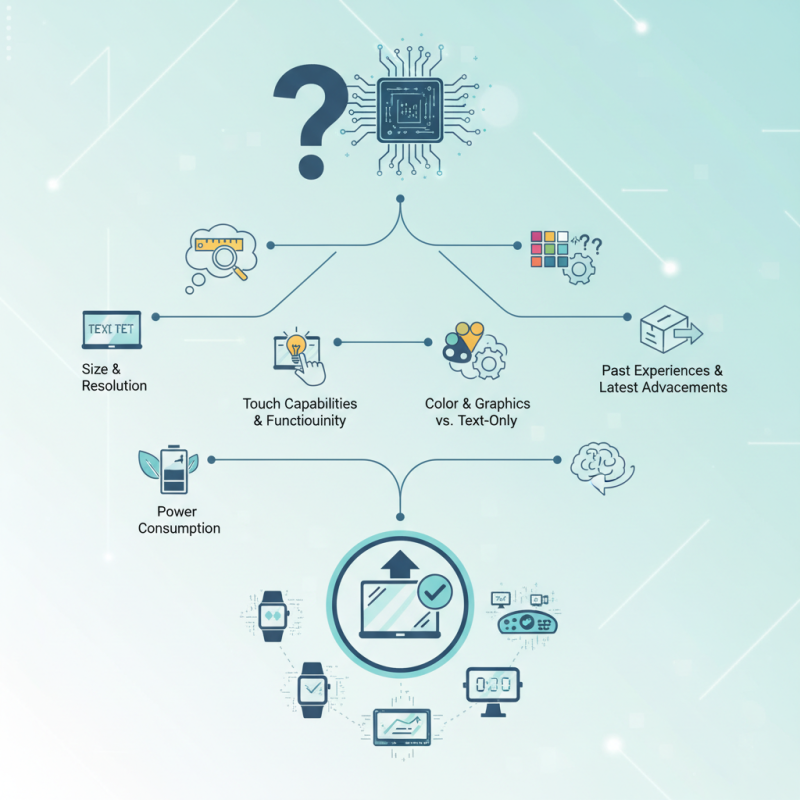
LCD modules range from basic character displays to full-color graphical screens. Some offer touch capabilities, while others focus solely on displaying text. Selecting the best option requires careful consideration of your needs. Think about size, resolution, and power consumption. Sometimes, a seemingly simple choice can lead to unexpected complications.
It's common to feel overwhelmed by the options. You may wonder if you've made the right choice. Reflecting on what worked well in earlier projects can help. Staying informed about the latest advancements will guide your decisions. Ultimately, the right LCD module can elevate your project, but it demands thoughtful evaluation.
Understanding Different Types of LCD Modules Available for Projects
When embarking on a project that requires a display, understanding the various types of LCD modules is crucial. These modules come in different sizes, resolutions, and interfaces. For instance, character LCDs are simple and often easier to program. They typically show text and can be used for basic data display. On the other hand, graphical LCDs offer more versatility. These can show images and complex graphics, making them ideal for sophisticated applications.
Some projects may benefit from LCDs with touch capability. These interactive displays provide user engagement but may add complexity. They require additional programming and calibration. Additionally, backlit displays can enhance visibility in low-light conditions. However, that can increase power consumption, which may not be ideal for battery-powered projects.
Considering the right type depends on specific needs. Sometimes, the choice might seem overwhelming. Each option has its drawbacks. A simple display might suffice, yet the temptation to go for advanced features can be strong. Balancing functionality and simplicity can lead to better efficiency in the long run. Testing different modules may help clarify what works best for your project.
Key Factors to Consider When Choosing an LCD Module
When choosing an LCD module for your projects, several key factors come into play. One important aspect is the display size. Larger screens provide better visibility but consume more power. In contrast, smaller displays save space but may strain visibility. A report by the Display Industry Association indicates that 45% of project failures are linked to improper display size selection.
Another critical factor is resolution. Higher resolution displays offer sharper images, crucial for detailed visuals. A resolution of at least 240x320 pixels is recommended for most applications. However, do note that higher resolution typically leads to increased costs and power consumption, a trade-off that should be evaluated.
Additionally, consider the interface type. Serial and parallel communications are common. While serial interfaces simplify wiring, they can be slower. A detailed analysis revealed that nearly 35% of developers encounter issues related to interface compatibility. Always review your project needs carefully before deciding. Design choices should reflect both immediate requirements and potential future expansions.
Comparison of Monochrome and Color LCD Screens
When choosing between monochrome and color LCD screens, your decision can significantly affect your project's outcome. Monochrome displays typically consume less power. They are often easier to read in direct sunlight. However, they lack the visual appeal of color screens. If your project is simple, a monochrome LCD may be sufficient. But be aware that it limits design possibilities.
Color LCDs provide vibrant visuals. They can display detailed graphics and a range of colors. This can enhance user interaction and engagement. However, they also require more power, which affects battery life. Complexity increases with color screens, making them challenging for beginners. Some projects may benefit from a minimalist approach, prioritizing clear information over aesthetics.
Reflection on these choices is essential. Consider factors like user experience and functionality. Your project's goals should dictate the display type. A monochrome screen may fulfill requirements well in some cases. Yet, if your project is design-driven, a color display is worth the extra effort. Each option has strengths and weaknesses, and the best choice ultimately depends on your specific needs.
Common Applications for Various LCD Module Types
When choosing an LCD module for your projects, understanding common applications is key. Different types of LCDs serve various functions. For example, character LCDs are popular in simple interfaces. They display text and can be used in clocks or home appliances.
Graphic LCDs, on the other hand, are suited for more complex visuals. You can find them in handheld gaming devices and advanced testing equipment.
Vacuum fluorescent displays (VFDs) are another option. They offer vibrant displays and are often used in consumer electronics like microwaves. A routine application of TFT LCDs is in smartphones and tablets. This type provides high-resolution graphics and a wide viewing angle but can be more expensive to implement.
Tips: Consider your project's size and power requirements. Some modules consume more energy than others. Testing different displays on a prototype can help you make better decisions. Make adjustments based on real-world performance, as initial choices may not always meet expectations.
Tips for Integrating LCD Modules into Your Projects
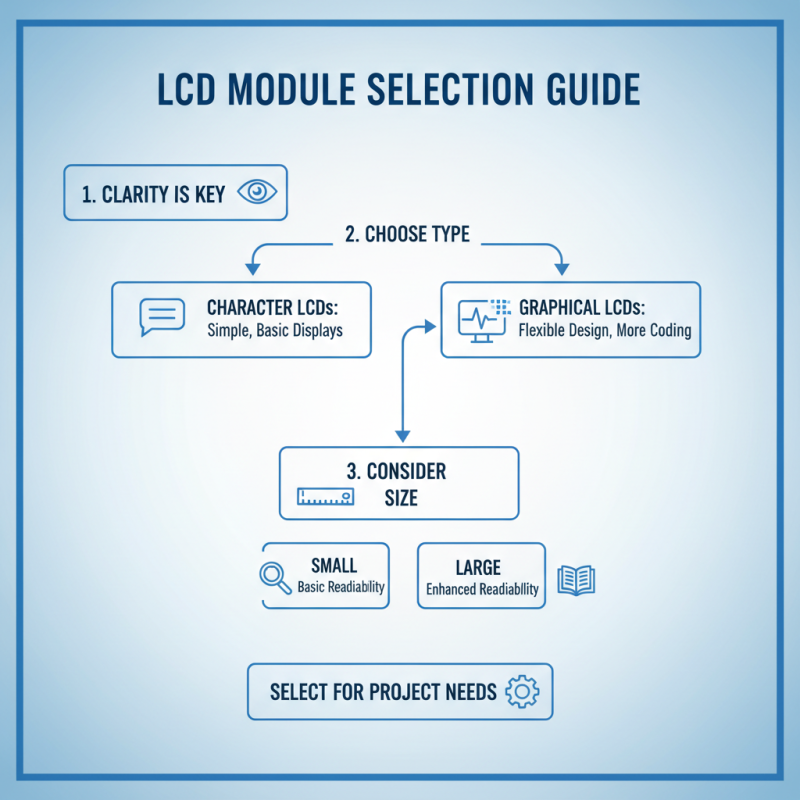
When integrating LCD modules into your projects, clarity is crucial. Start by selecting the right type, such as character or graphical LCDs. Character LCDs are simpler and suit basic displays. Graphical LCDs allow more flexibility in design but require additional coding knowledge. Consider the size of the display as it affects readability.
Wiring can be tricky. Ensure connections are secure and well-documented. A common mistake is overlooking power requirements; some modules need specific voltage levels. It's essential to test your connections before finalizing the design. Additionally, using libraries can simplify coding, but relying solely on them can lead to missed learning opportunities.
Integration also involves layout planning. Place the LCD in a way that users can interact easily. Think about ambient light and viewing angles. It’s a challenge if the screen is hard to read in bright conditions. Prototyping is vital. Build small models to identify flaws early. Each project serves as a learning experience, allowing you to refine your approach for future endeavors.